Delta Elec. Inc. BS254 & BX254 & BX324 rev.05
Company Confidential LG ______________________ Delta____________
10
2011/04/07
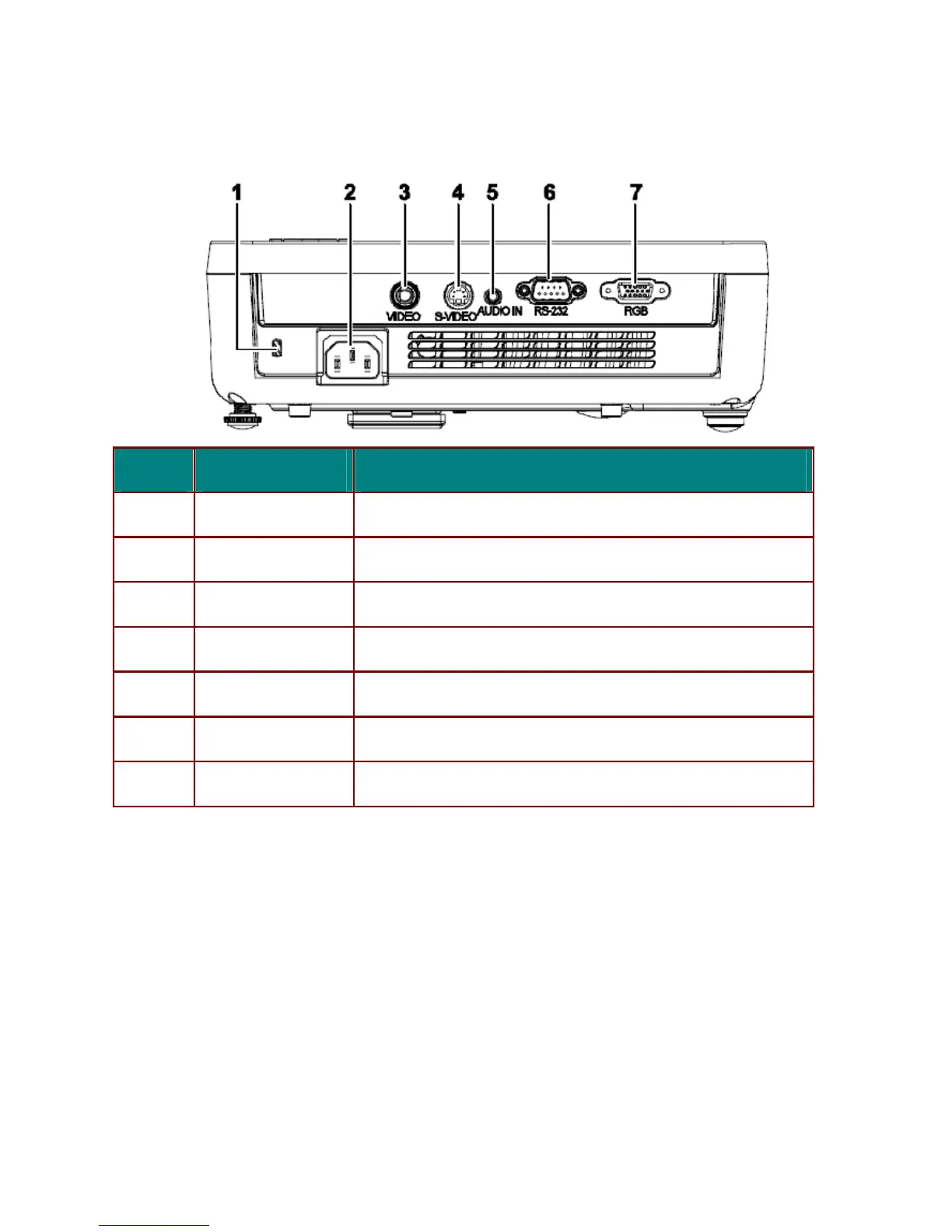
2-4. Rear view
I
TEM
L
ABEL
D
ESCRIPTION
1.
Kensington Lock Secure to permanent object with a Kensington Lock system
2.
AC IN Connect the POWER CABLE
3.
VIDEO Connect the VIDEO CEBLE from a video device
4.
S-VIDEO Connect the S-VIDEO CEBLE from a video device
5.
AUDIO-IN Connect the AUDIO CEBLE from the input device
6.
RS-232 Connect the RS-232 CABLE from a computer
7.
RGB Connect the RGB CABLE from a computer or components
NOTE:
If you video equipment has both S-VIDEO and RCA jacks (composite video) connect to the
S-VIDEO connector. S-VIDEO provides a better quality signal.


 To Next Page
 Loading...










