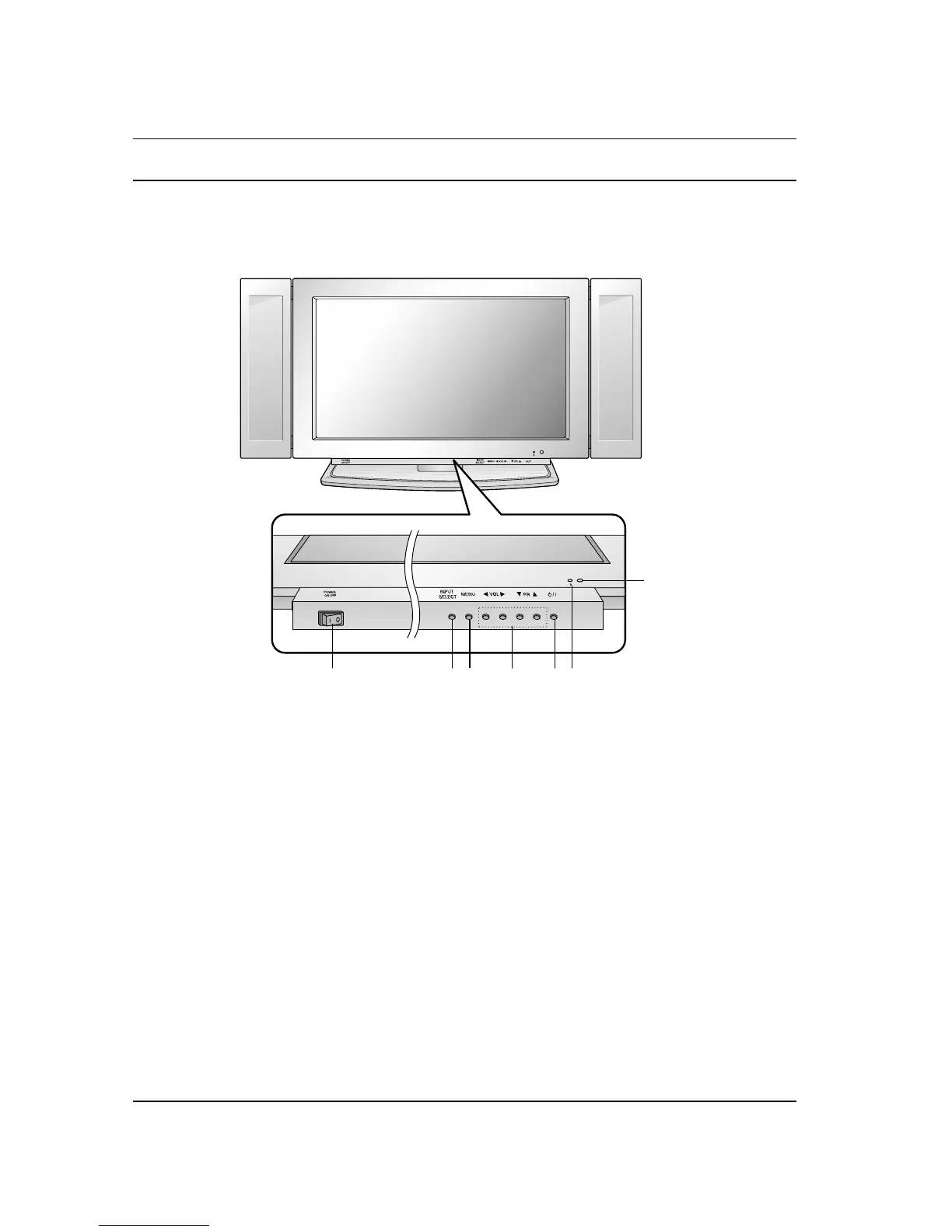
Location and function of controls
6
1. MAIN POWER (ON OFF)
switches the set on or off.
2. INPUT SELECT
selects TV, AV1, AV2, AV3, S-Video, RGB or
DVI mode.
switches the set on from standby.
3. MENU
selects a menu.
4. F / G (Volume Down/Up)
adjusts the volume.
adjusts menu settings.
D
/
E
(Program Up/Down)
selects a program or a menu item.
switches the set on from standby.
5. POWER (
rr
/I)
switches the set on from standby or off to
standby.
6. POWER/STANDBY INDICATOR (rr)
illuminates red in standby mode.
illuminates green when the set is switched on.
7. REMOTE CONTROL SENSOR
Front panel
1 2 3 5 6
7
4



 To Next Page