87
ENGLISH
TO UPDATE SOFTWARE
Uses software update to check and obtain the latest version.
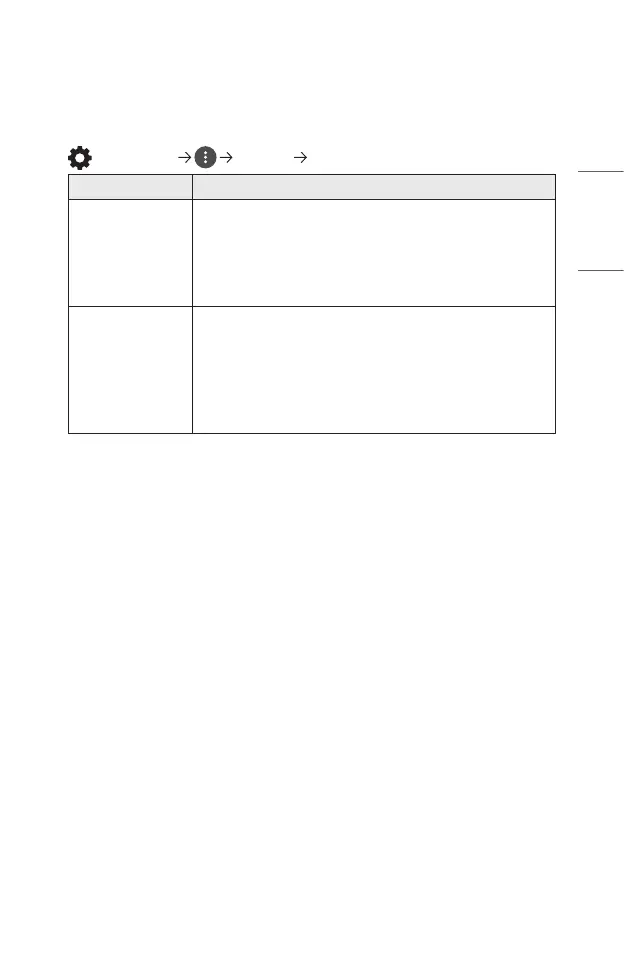
(Q. Settings) [General] [About This Projector]
Menu Description
[CHECK FOR
UPDATES]
When checking for the latest update version, you can
perform updates only if an update le of a later version is
available.
The projector automatically checks your software version
but, if necessary, you can perform a manual check.
[Allow
Automatic
Updates]
If [Allow Automatic Updates] is selected, when an update
is available, the update automatically starts without
prompting a question.
If [Allow Automatic Updates] is not selected, when an
update is available, the update will start after prompting
a question.
• The configurable items differ depending upon country.
• The latest version can be obtained via internet connections.
• If software is not updated, certain functions may not work properly.



 To Next Page