18
ENGLISH
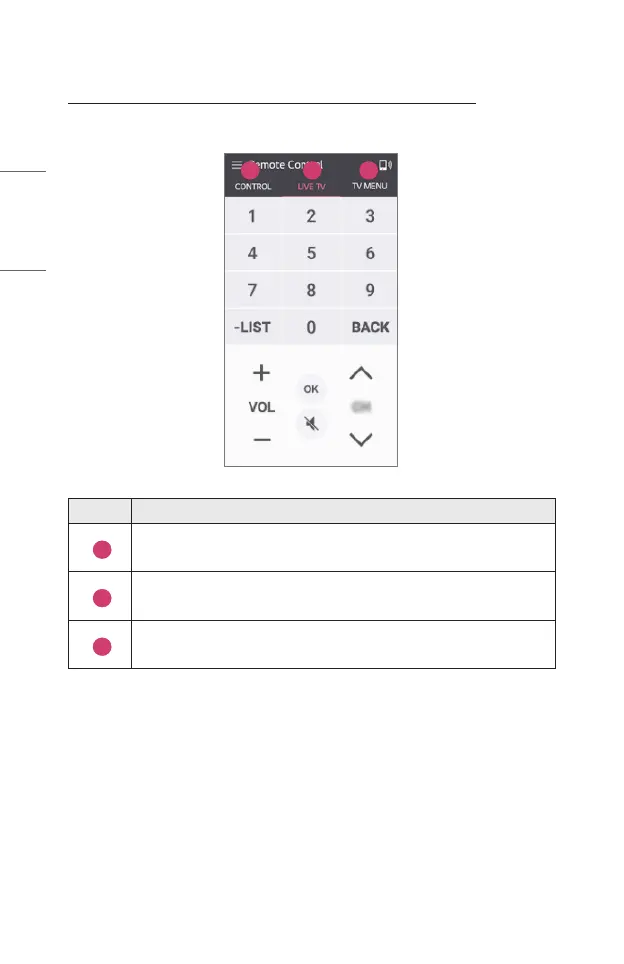
Controlling Your Projector with the LG TV Plus App
You can tap the buttons on your smart device’s screen to control the projector.
1 2 3
Description
1
You can use the same functions as the Magic Remote’s pointer and
arrow keys.
2
You can adjust the volume or make other adjustments without using
the remote control.
3
You can open an app installed on your Projector or congure settings
for functions such as switching input.
• Some controls may be limited in external input mode.
• The app’s screen and functionality are subject to change without prior notice.
• Available features may differ depending on your country and OS.



 To Next Page