19
ENGLISH
Using the Joystick Button
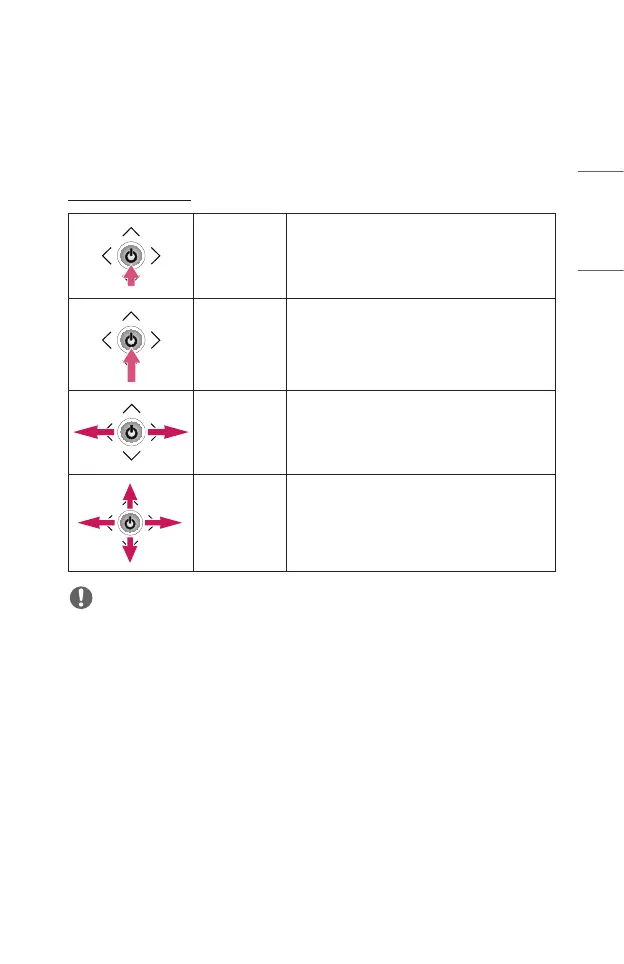
You can operate the projector by pressing the button or moving the joystick left, right,
up, or down.
Basic functions
Power On
When the projector is turned off, place your
nger on the joystick button, press it once,
and release it.
Power Off
Press and hold the joystick button for more
than 3 seconds while the projector is on.
Volume
Control
Place your nger over the joystick button
and move it left or right, you can adjust the
volume level.
Up/Down/
Left/Right
If you move the joystick up, down, left, or
right, you can move the cursor to select the
menu items.
NOTE
• Move the joystick button up, down, left, or right. Be careful not to press the
joystick button. If you press the button while moving the joystick, the volume
control may not work, and the cursor may not move.



 To Next Page