14
ENGLISH
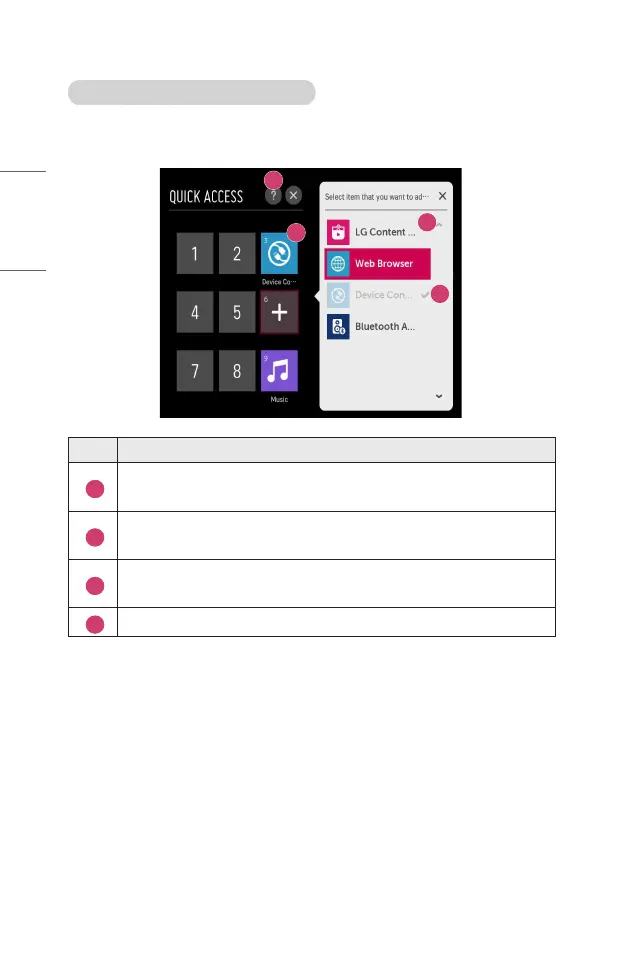
Checking and editing QUICK ACCESS
Press and hold the number 0 button on the remote control.
The [QUICK ACCESS] edit screen appears.
3
2
1
4
Description
1
Selecting a number that has already been registered allows
deregistering it.
2
When you select a number that has not been registered, items that can
be registered will be shown.
3
An item that has been registered to a different number is indicated
with a check mark.
4
You can view a brief instruction for this function.



 To Next Page