Recording music from CD to your USB
device - more you can do
Record Audio CD source to USB
One track recording - If the USB recording is started during playback of the
CD, the only track would be recording into the USB
All track recording - If the REC button is pressed at the CD stop, all track
would be recorded.
Program list recording - USB Records after selecting the tracks pressing the
PROG./MEMO. button if you want to record the track you want.
In recording, look out for the following
•You can check the recording percentage rate for the USB record on the
screen during the recording.
• During the recording there is no sound and volume can not be adjusted.
• When you stop recording during playback, the file that has been recorded at
that time will be stored.
• Do not remove the USB device during USB recording. If not, an incomplete
file may be made and not deleted on PC.
• It is impossible to record from “ MIC IN”.
• Recordable USB REC. Bit rate : 96/128kbps (Refer to the SET UP page)
• Pause can not be operated during USB recording.
• Multi card reader device can not be used for USB recording.
• USB port of the unit can not be connected to PC. The unit can not be used
as a storage device.
• If usb recording does not work, the message like “NO USB”.“ERROR”,“USB
FULL”, or “NO REC” is displayed on the display window.
• File(up to 999) will be stored to CD_REC folder in a format “TRK-00xxx.mp3”
in numeric order.
• For the discs recorded in the format of CD-G/DTS disc, USB recording is not
supported.
• External HDD, Card readers, Locked devices, or hard type usb devices are
not supported.
13
Recording music from CD to
your USB device
ON REMOTE
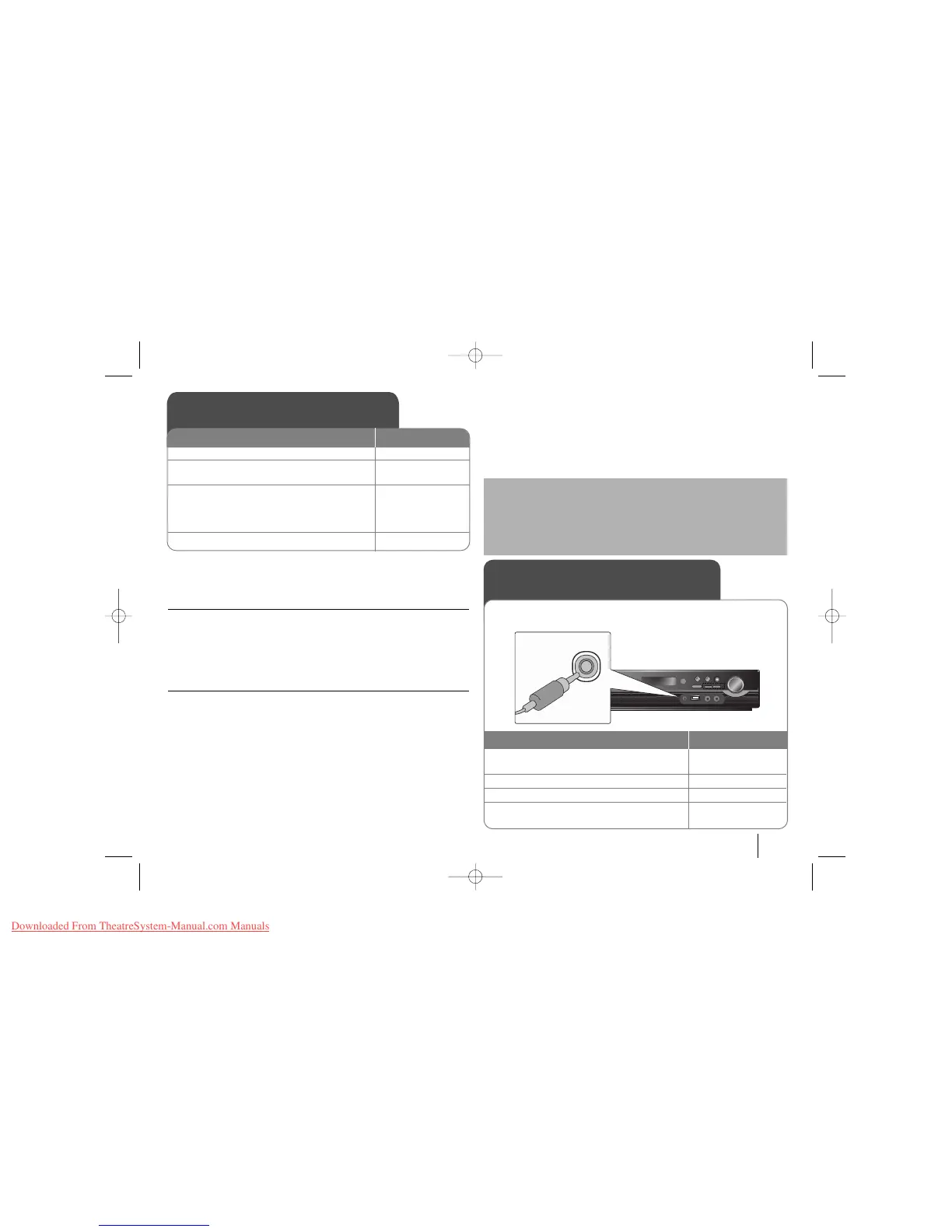
1 Connect the USB device to the unit:-
2 Select a mode (DVD/CD) in which you want
to record: FUNCTION
3Start recording:
zz
If you want to record desired music file in
Disc to USB. Select a file after starting
recording:
vv VV
and
zz
4To stop recording:
xx
STOP
Listening to music from your
portable player
1 Connect the portable player by plugging the
unit into PORT. IN on the front of the player.:-
2Turn the power on: POWER
3 Select the PORTABLE function: INPUT
4Turn the portable player on and start it
playing: -
The player can be used to play the music from many types of portable
players by being connected to them with Ø 3.5mm mini stereo cable.
ON REMOTE
The making of unauthorized copies of copy-protected material, including
computer programs, files, broadcasts and sound recordings, may be an
infringement of copyrights and constitute a criminal offense. This equip-
ment should not be used for such purposes.
Be responsible
Respect copyrights



 To Next Page