9
5.1Ch source
[VIRTUAL] mode:
The Multichannel sound changes the sound in 5.1 ch
into a virtual one in the 10.1 ch so that it provides such a feeling that
you listen to the sound simultaneously from the right and left speakers
and center speaker.
Set a pre-programmed sound field
This system has a number of pre-set surround sound fields. Select the one
which best suits the programme you are watching by pressing EQ repeatedly to
cycle through the options: NORMAL, NATURAL, AUTO EQ, POP, CLASSIC,
ROCK, JAZZ.
[AUTO EQ]: AUTO EQ operates only in the MP3/ WMA files which include
the information. (ID3 Tag is operated ver.1 only.) WMA file operates to Normal
EQ regardless of Tag information.
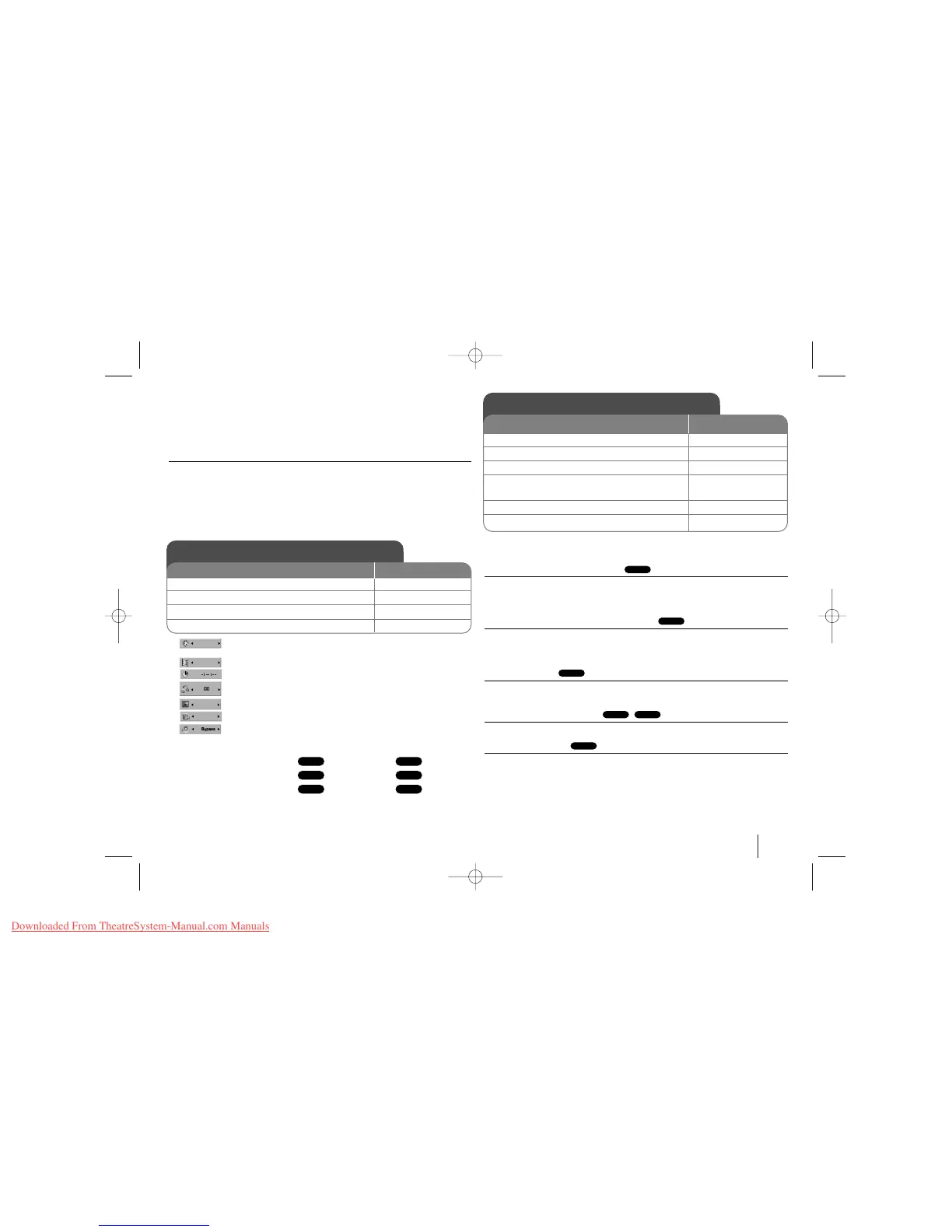
Current title (or track)
number/total number of titles (or tracks)
Current chapter number/total number of chapters
Elapsed playing time
Selected audio language or channel
Selected subtitle
Selected angle/total number of angles
Selected sound mode
Symbol Used in this Manual
All discs and file listed below MP3 files
DVD and finalized DVD±R/RW WMA files
DivX files
Audio CDs
Playing a Disc or file - more you can do
Playing a DVD that has a menu
Most DVD now have menus which load first before the film begins to play. You
can navigate these menus using vV b B or number button to highlight an option.
Press ENTER to select.
Skip to the next/previous chapter/track
Press SKIP (>) to move to the next chapter/track.
Press SKIP (.) to return to the beginning of the current chapter/track.
Press SKIP (.) twice briefly to step back to the previous chapter/track.
Pause playback
Press PAUSE/STEP (X) to pause playback. Press PLAY (B) to continue play-
back.
Frame-by-Frame playback
Press PAUSE/STEP (X) repeatedly to play title Frame-by-Frame.
Playing repeatedly
Press REPEAT repeatedly to select an item to be repeated. The current title,
chapter or track will be played back repeatedly. To return to normal playback,
press REPEAT repeatedly to select [OFF].
ALL
DivXDVD
ALL
ALL
DVD
ACDDivX
WMA
DVD
MP3ALL
Displaying Disc Information
1 Press DISPLAY: DISPLAY
2 Select a item:
vv VV
3 Adjust the Display menu settings:
bb BB
4To return the exit: DISPLAY
ON REMOTE
Playing a Disc or file
ON REMOTE
1 Open the disc tray: (On unit:
ZZ
)-
2 Insert a Disc: (On unit) -
3 Close the disc tray: (On unit:
ZZ
)-
4 Adjust the menu settings:
vV b B
or Select a file from the menu:
vv VV
5Start the Disc playing: B PLAY
6To stop the Disc playing:
xx
STOP



 To Next Page