15
Note:
To move to the main menu, press MENU.
To move the previous mode, select the by pressing the
vv VV
, then press
ENTER
.
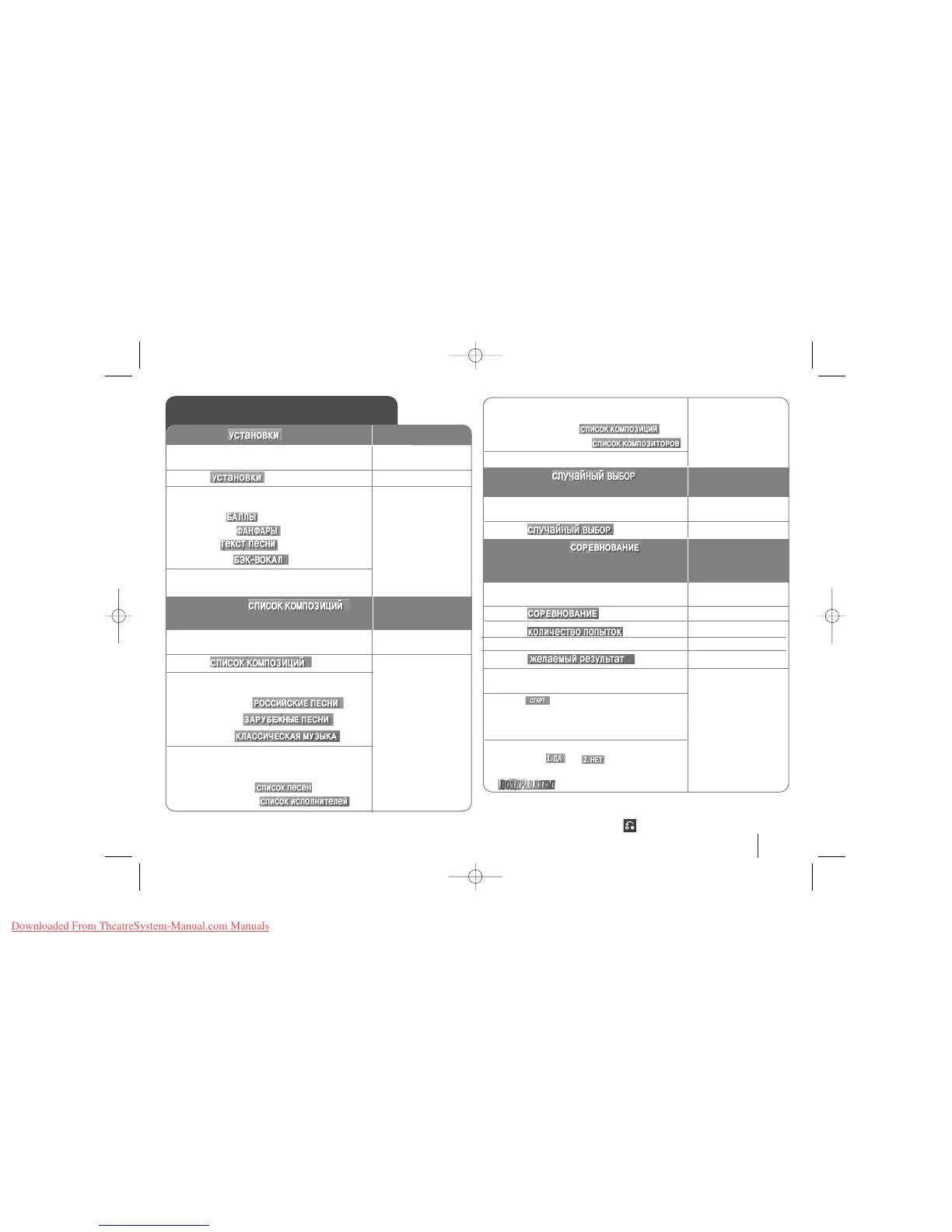
Karaoke MENU Playback
1. Press MENU to move to the main menu
; The main menu appears on the screen:
2. Select , and press
3. Select one you want to activate/deactivate
among the following functions, and press
1.SCORE (
)
2.FANFARE (
)
3.LYRIC (
)
4.CHORUS (
)
4. Select ON(
Çäã)/OFF(Çõäã) to
activate/deactivate.
MENU
vv VV
and ENTER
bb BB
and ENTER
ON REMOTE
1. SETUP ( )
1. Press MENU to move to the main menu
; The main menu appears on the screen:
2. Select , and press
3. Select a genre you want to show among
the followings, and press
1.LOCAL SONG
(
)
2.POP SONG ()
3.CLASSIC
()
4-1. Select one among followings when you
selected LOCAL SONG/POP SONG in the
previous step.
1.SONG LIST
()
2.SINGER LIST()
MENU
vv VV
and ENTER
2. MUSIC LIST ()
You can select a desired song on each music list.
4-2. Select one among followings when you
selected CLASSIC LIST in the previous step.
1.CLASSIC LIST
()
2.COMPOSER LIST()
5. Select initial of song title or entire title .
1. Press MENU to move to the main menu
; The main menu appears on the screen:
2. Select , and press ;
1. Press MENU to move to the main menu
; The main menu appears on the screen:
2. Select , and press ;
3. Select .
4. To select the winner’s number.
5. Select
.
6. To select the success score select one of
60,70,80,or 90 and then press.
7. Press and select number to sing
along with the accompaniment. Repeat step
6 to change the team of red team or blue team
alternately.
8. Whether you keep going the song game or
not, select or
.
When reaching the targeted winning number, the
will be shown on the TV screen.
vv VV
and ENTER
vv VV
ENTER
3.RANDOM ( )
You can enjoy songs randomly.
ON REMOTE
4.CHALLENGE ( )
You can enjoy a song game dividing by two
teams of red team & blue team.
vv VV
and ENTER
vv VV
vv VV
bb BB
and ENTER
vv VV
vv VV
and
ENTER



 To Next Page