Warning
When using LCD as tablet mode, it can cause the button error.
When using tablet mode, do the lock device before using the computer.
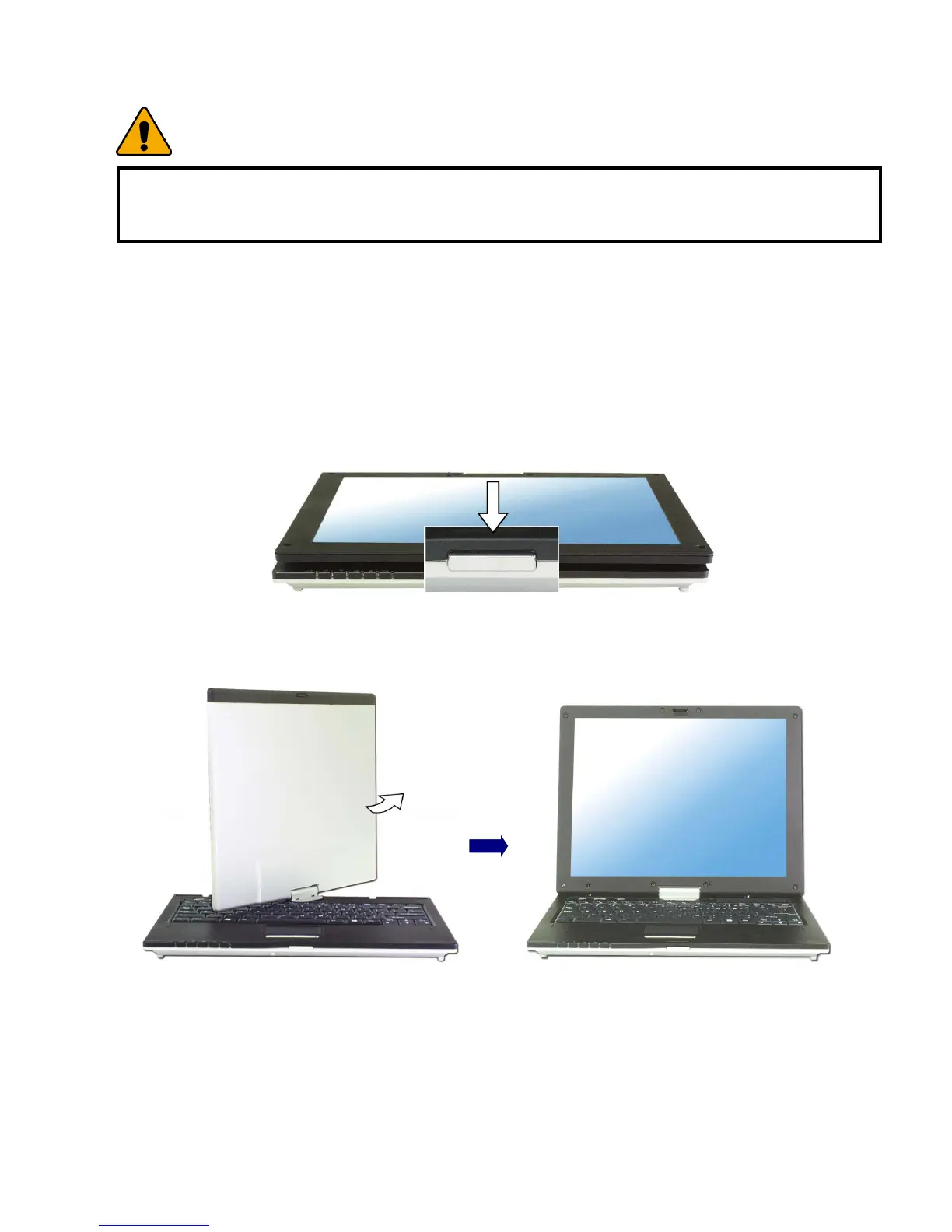
Using notebook mode
1. When using notebook mode, lift up till LCD panel has 90° on the keyboard
after pushing down the latch button.
2. If LCD has 90° on the keyboard, make it rotate as counter clock-wise.
3. Adjust the slope of the display panel for comfortable viewing after making a
rotation completely.
- 28 -



 To Next Page