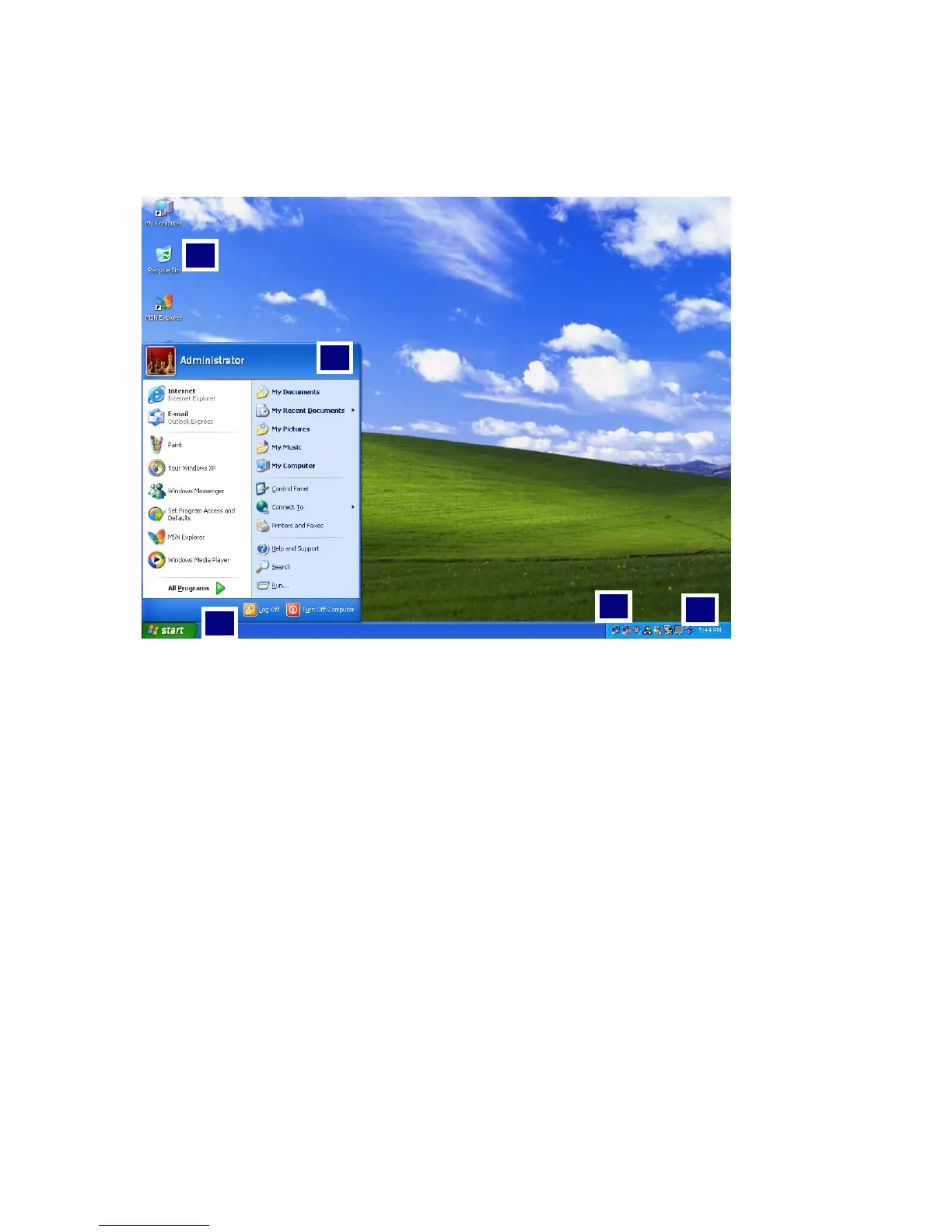
Windows XP desktop
3
4
2
1
5
1. [Start] button
Click [Start] button to open the [Start] menu. Click [All Programs] to open
the list of programs installed in the computer.
2. [Start] menu
[Start menu] shows everything you need to start working in the Windows XP
environment.
3. Taskbar
Taskbar shows programs that are currently open and running.
4. Taskbar icons and clock
Taskbar icons show and let you configure ongoing activities such as battery
power status, display properties, LAN settings, etc.
5. Recycle Bin
Put your unused items and files in the Recycle Bin. Right-click the Recycle Bin
- 41 -



 To Next Page