Installing memory
When you are using the computer, you may want to increase the memory
capacity.
About memory
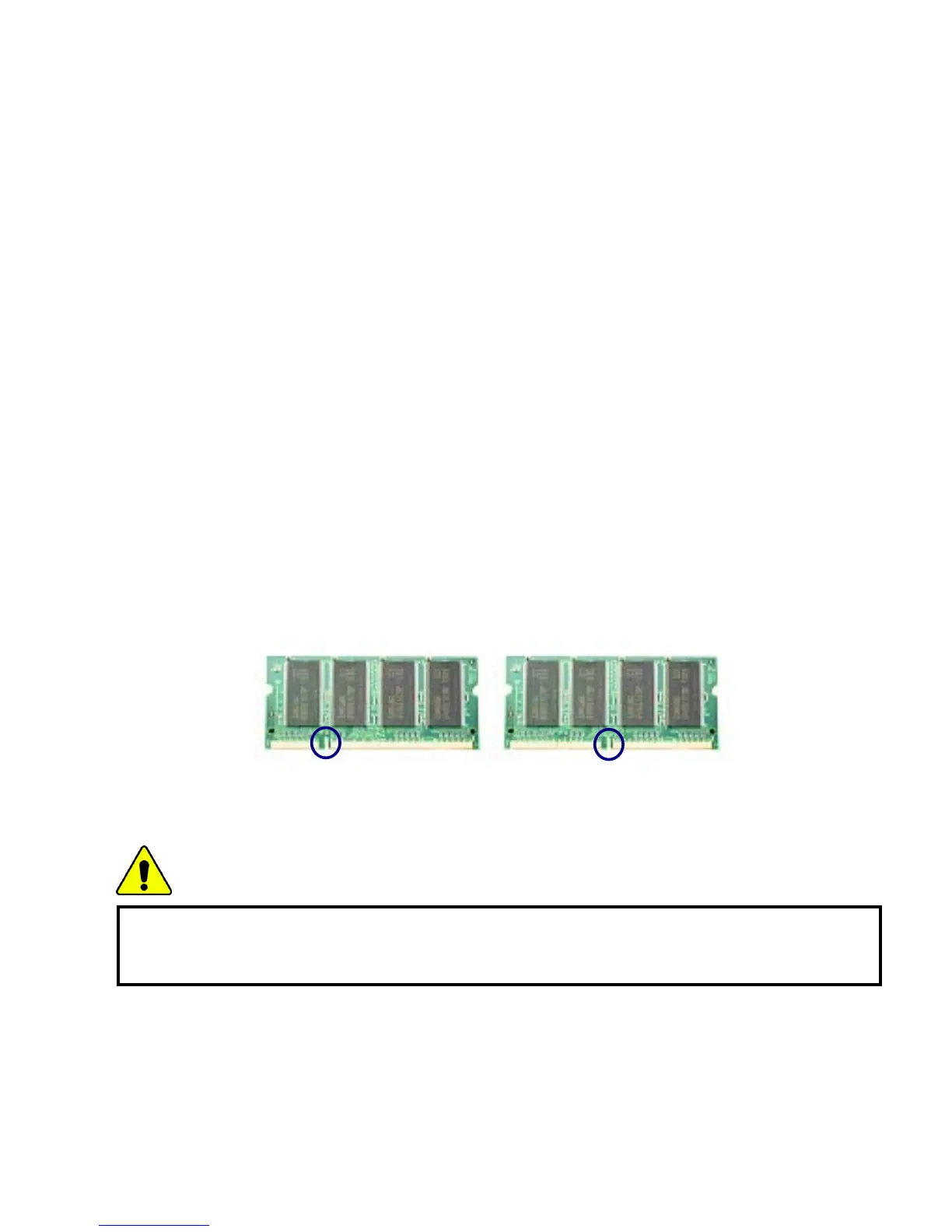
Your computer uses DDR (Double Data Rate) SDRAM SO-DIMM(Dual In-Line
Memory Module) with 200 pins.
Each memory socket can support a memory module from 64MB to 1024MB, and
the maximum memory capacity of the computer is 2048MB.
Before installing memory
When installing or removing the memory modules, be careful not to expose them
to the static electricity as it can damage the modules.
Make sure the type of memory installed in your computer is the same as the
memory you are about to install.
Note:
Use only the correct type of memory module (DDR SDRAM using 2.5V).
Different models of computer can use different memory modules.
DDR memory has higher data-transfer rate and different shape compared to the
typical memory.
DDR SDRAM SDRAM
Caution
Your computer supports PC2700/DDR SDRAM SO-DIMM
333MHz/266MHz/200MHz with FSB Frequency of 400MHz.
- 81 -



 To Next Page