Using the Power Options
Windows XP uses its own power-saving program to manage the battery power.
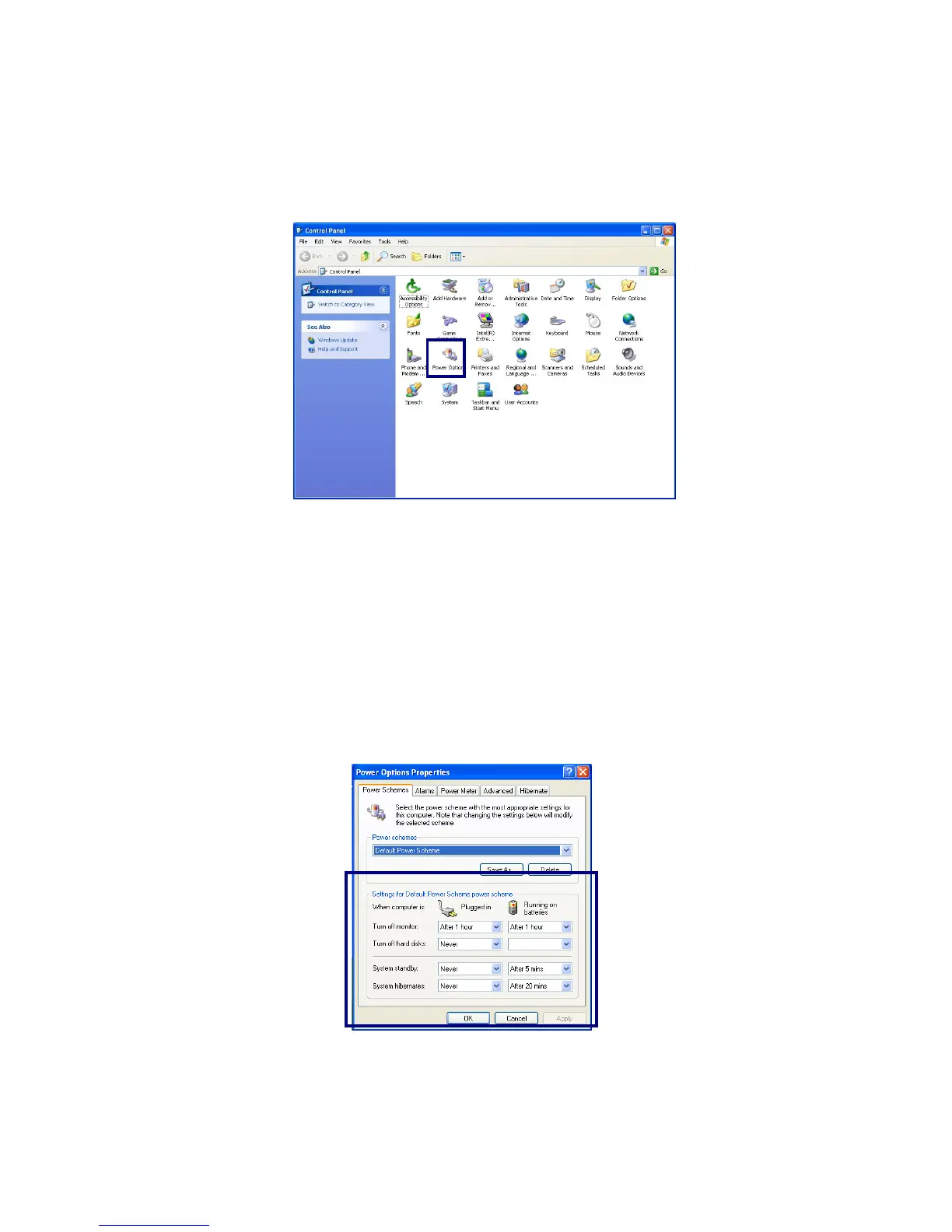
Click [Start]->[Control Panel]. Double-click [Power Options].
- 51 -
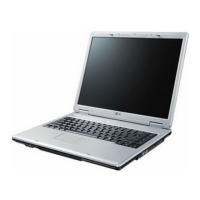
In Power Options Properties window, change the settings best suited for your
computing environment.
Power Options Properties
Click [Power Schemes] tab.
Drop down the menu and select [Portable/Laptop] to set notebook PC with the
appropriate power schemes. This includes detailed timeline for [Turn off
monitor], [Turn off hard disks], [System standby], and [System
hibernates].


 To Next Page