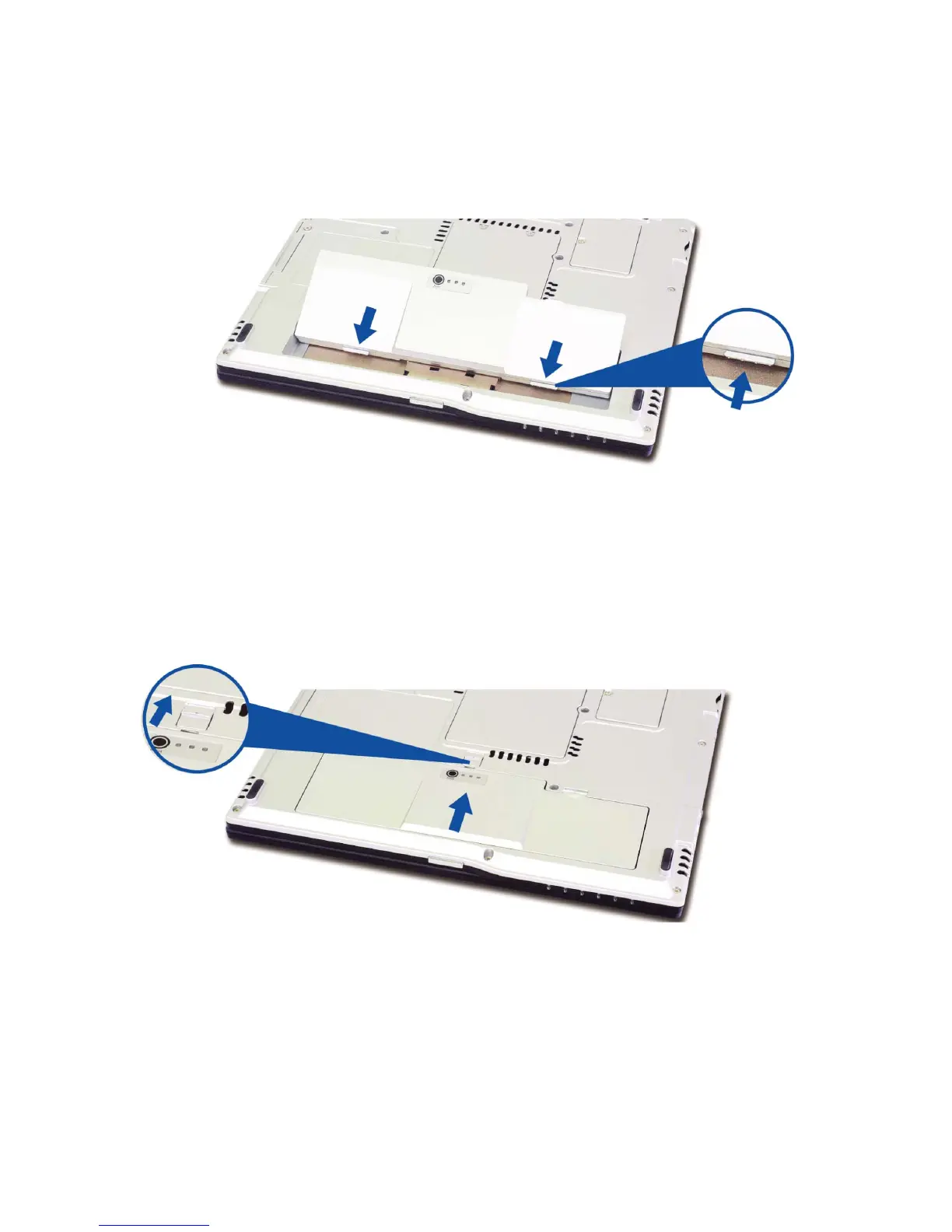
2. Place the battery pack in the battery slot, and align the two protrusions on the
battery pack with the two slits on the side of the battery slot.
3. Gently push the battery pack into the slot until it clicks. The battery pack is
inserted. You can lock the battery pack in place by pushing the left battery latch
in the direction shown above. If you hear a click, the battery pack is locked in.
4. Connect the AC adaptor and open the LCD panel. The battery is charged
automatically right after connecting. (Refer to Page 38 “Using the AC adapter”)
5. Check the battery status indicator.
- 30 -



 To Next Page