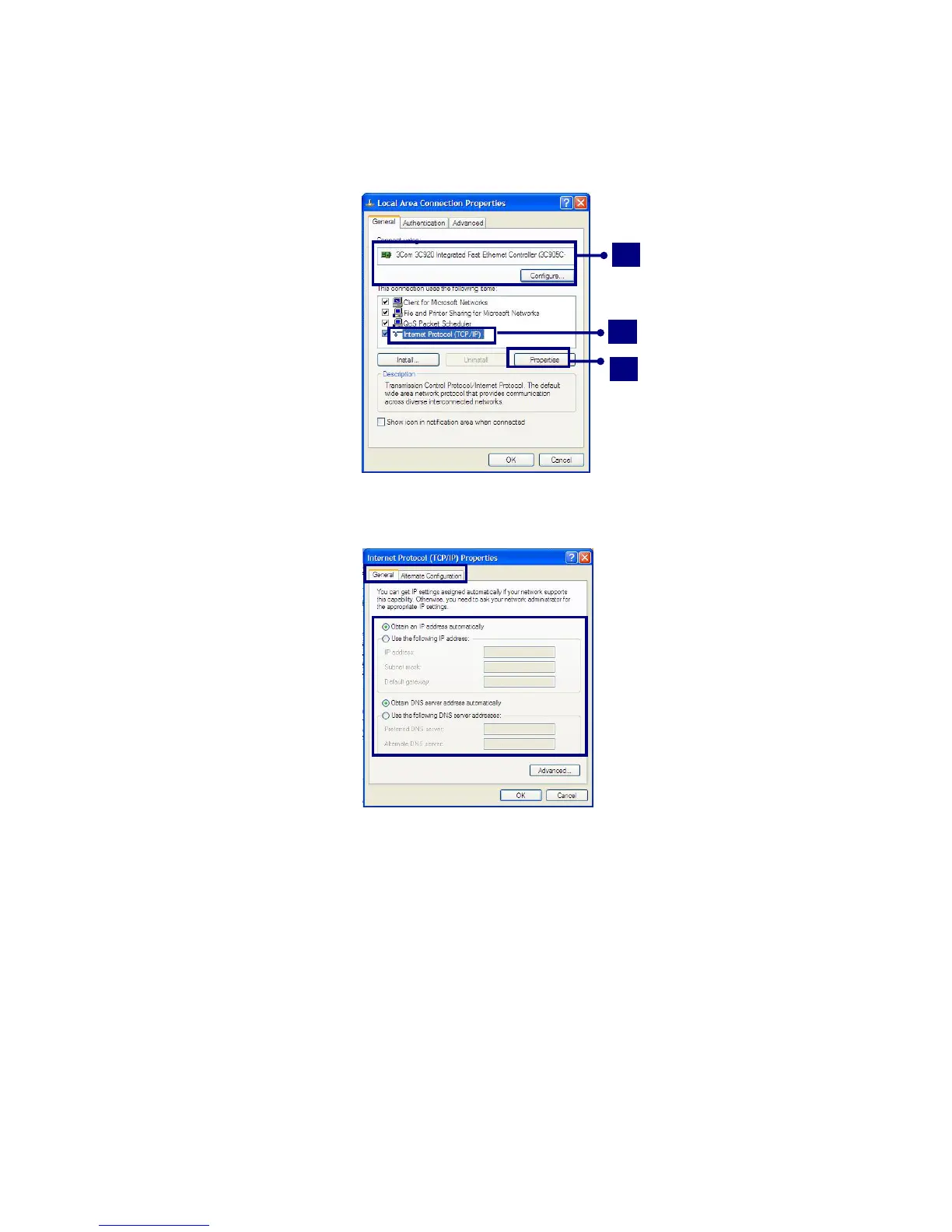
If the following window appears, click [General] tab and 1. check if 3COM 3C920
Integrated Fast Ethernet Controller is installed in the computer 2. Then, check
Internet Protocol, and 3. click on [Properties]
3
2
1
Click on [General] tab, and Select [Obtain an IP address automatically]
Click [Ok] when Internet protocol (TCP/IP) setting is completed.
Note:
Ask your network administrator for the appropriate IP settings.
- 45 -



 To Next Page