→ More → LG Cloud
Enter the e-mail and password you provided during the sign-up procedure to sign in
to the service.
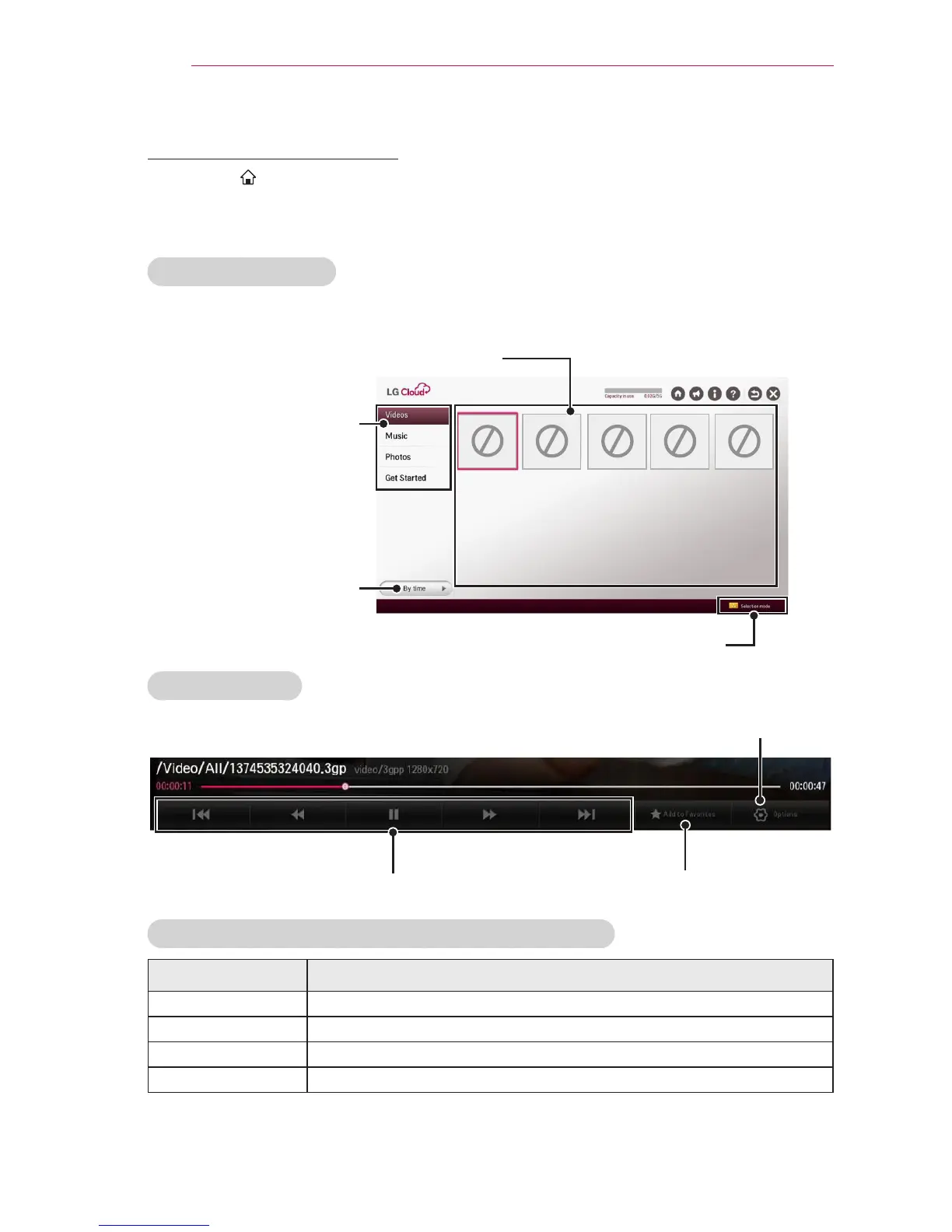
Main screen layout
This is the main screen you will see rst after signing in.
Folder selection tabs
File display area
Sort criteria selection
NO
IMAGE
NO
IMAGE
NO
IMAGE
NO
IMAGE
NO
IMAGE
Selection mode
Video playback
Playback control Add or remove favorites
Set options
LG Cloud Move to Home/Notice/My Account/FAQ
Item Description
Move to Home Displays a default screen.
Notice Shows notices about the LG Cloud service.
My Account Shows the user ID and e-mail address.
FAQ Displays the FAQ regarding LG cloud service.



 To Next Page