button and select
Settings.)
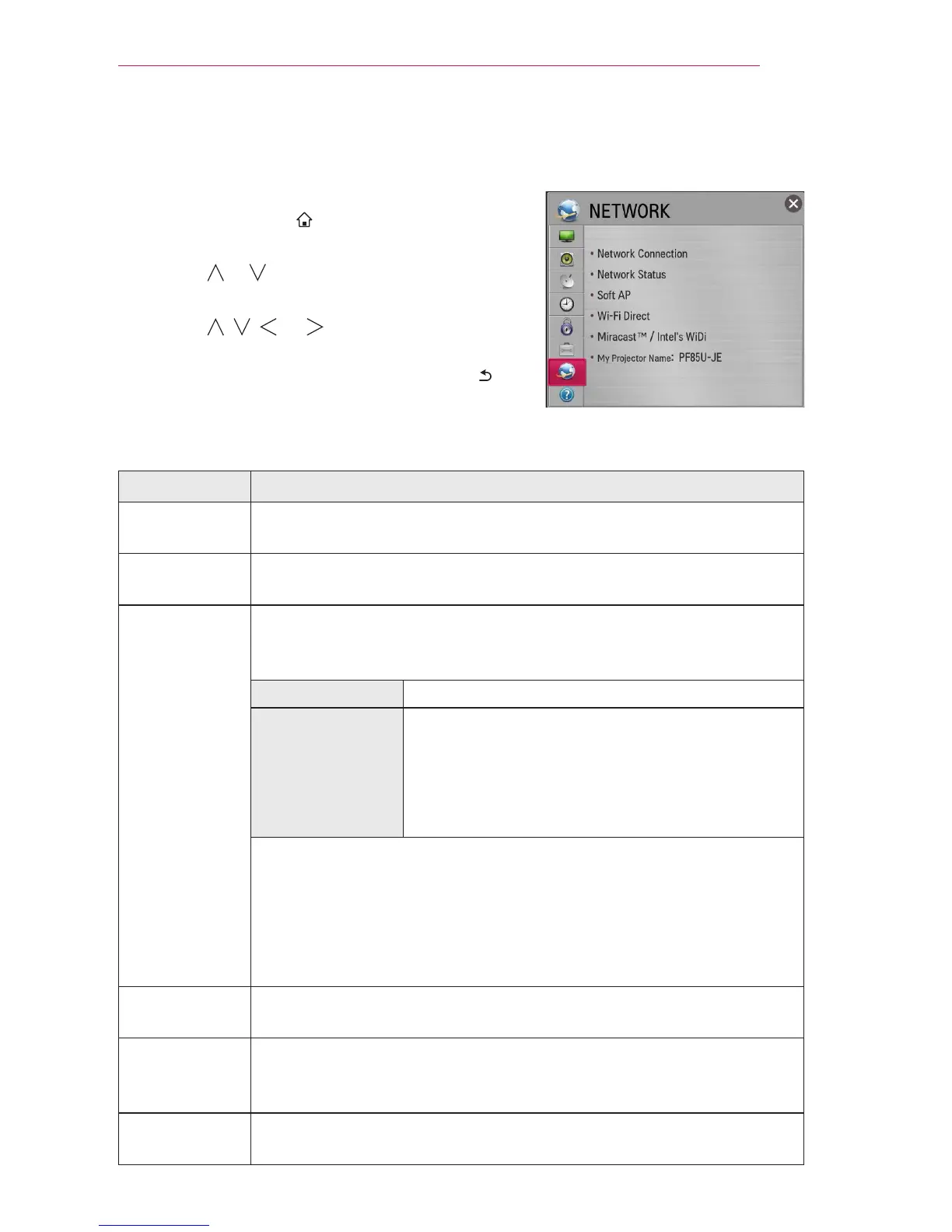
2 Use the or button to select NETWORK and
press the OK button.
3 Use the , , , or button to set up the
desired item and press the OK button.
- To return to the previous menu, press the
button.
The available network settings are described as follows.
Item Description
Network
Connection
Connects a network.
Network
Status
Displays the connection status of the network.
Soft AP This function allows you to change a wired Internet connection to
your projector to Wi-Fi, allowing you to connect various external
devices or to use wireless Internet.
Soft AP Sets to On/Off.
Security Key Sets the Wi-Fi security number.
You can set the security key with a
combination of English letters and numbers
between 8 and 64 characters long.
The default setting is “LG123456”.
To enable the Soft AP function, your projector must be turned on
and have a wired Internet connection.
Up to four external devices can be connected.
If the Soft AP function is enabled, the Wi-Fi Direct and Miracast
TM
functions become unavailable. You must set the Soft AP function to
Off to use the Wi-Fi Direct and Miracast
TM
functions.
Wi-Fi Direct Wi-Fi Direct is a function that allows your projector to connect with a
Wi-Fi Direct device without Internet connection.
Miracast
TM
/
Intel's WiDi
The Miracast
TM
allows you to enjoy video and audio from a portable
device through the projector wirelessly. Intel's WiDi allows you to
view a laptop screen through the projector without a cable.
My Projector
Name
Changes the name that appears when searching for the projector
from other devices.



 To Next Page