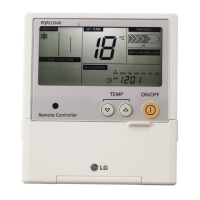
16 Wired Remote Controller
Installation instruction
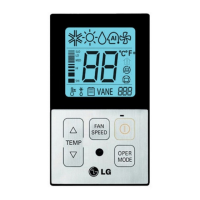
• Whenever press temp up(s), down(t) button in Fahrenheit mode, the temperature will
increase/drop 2 degrees.
Installer Setting-Celsius / Fahrenheit Switching
TEMP
FAN
SPEED
OPER
MODE
When pressing the button and
button simultaneously for more than 3
seconds, the system will be entered into the
installer setting mode.
- After entering into the installer setting
mode, select the ceiling height setting code
value by pressing the oper-mode button.
* Celsius/Fahrenheit setting code value : 07
1
Select the desired setting value with the
temperature up(▲), down(▼) button.
2
When pressing button, currently
established celsius/Fahrenheit setting
value will be set up.
3
When pressing the button and
button simultaneously for more than 3
seconds after the setting has been
completed, the setting mode will be released.
- If there isn’t any button input for more than
25 seconds, the installer setting mode will
also be released.
4
OPER
MODE
Code value
*Setting value
00:Celsius
01:Fahrenheit
OPER
MODE
Value


 To Next Page
 Loading...