TEMP
FAN
SPEED
OPER
MODE
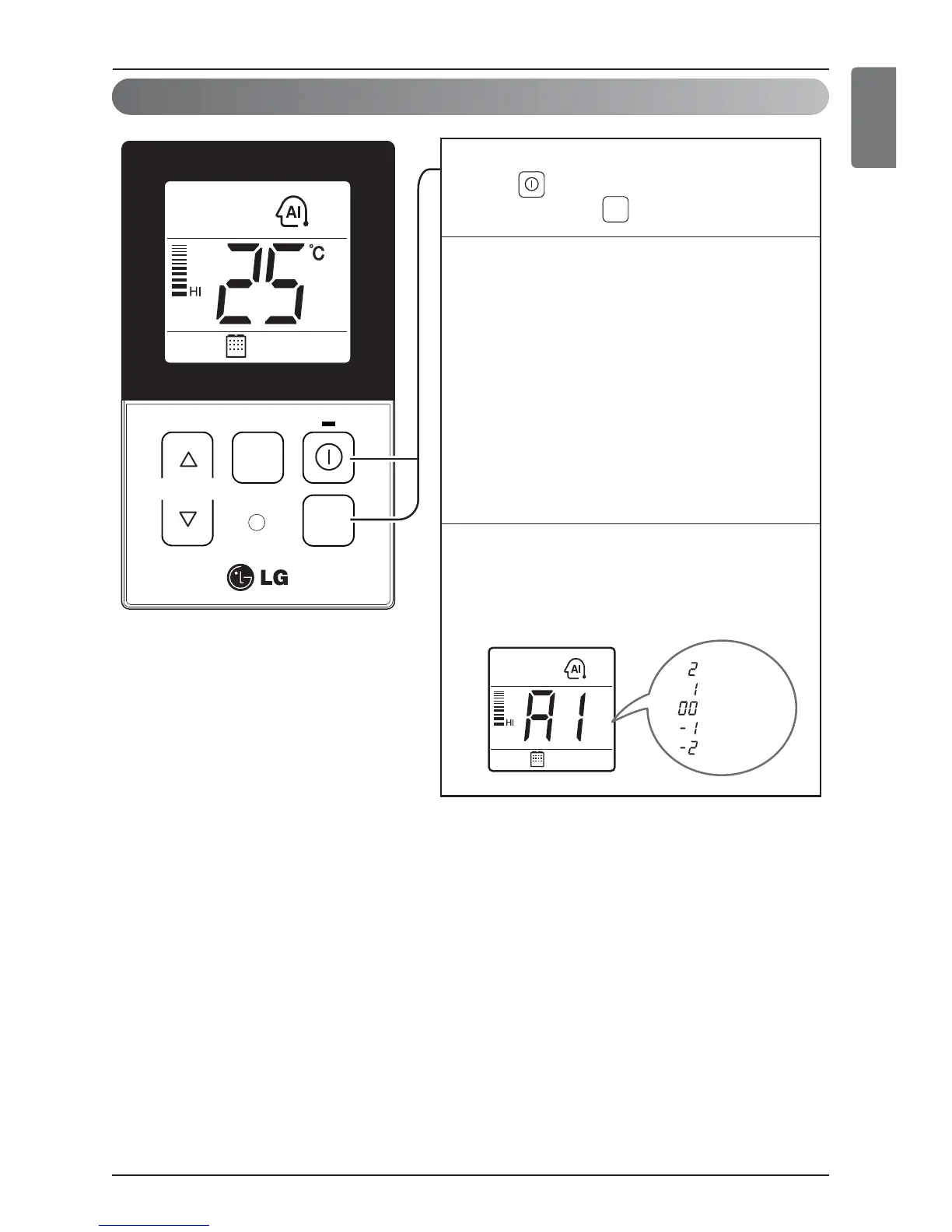
After operating the product by pressing
the button, set up the auto operation
by pressing the button.
1
“Auto Operation Mode”
For the products with the exclusive purpose
of cooling only, “AI” is indicated at the
temperature display section.
3
“Auto Change Over Mode” – Heat pump model only
When desired the set temperature is higher than the
room temperature during the auto operation
=> Heating operation
[For Heat pump models only]
When desired the set temperature is lower than the
room temperature during the auto operation
=> Cooling operation
- Setting temp range : 18°C~30°C (64°F~86°F)
2
OPER
MODE
When cold
When cool
When appropriate
When warm
When hot


 To Next Page
 Loading...