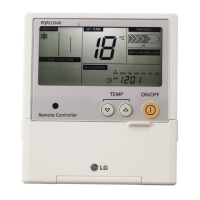
28 Wired Remote Controller
Checkups before reporting breakdown
Please first check the items below for product's defects before consulting to service center.
Symptoms
• Is air-conditioner's power on?
• Are air-conditioner and remote
controller properly connected
with cable?
• Is cable connection correct?
• Did you correctly setup time?
• Did you correctly make a
reservation?
• Is desired temperature setup
lower than current temperature?
• Isn't reservation drive setup?
• Does remote controller indication
window indicate 'CH03'?
It has no power
on.
It doesn't operate
reservation drive.
It doesn't release
cool wind.
Air-conditioner
automatically runs
or stops.
Error is indicated
on remote
controller
indication window.
• Please check up circuit breaker.
• Please check up wire remote controller's
setup condition.
• Please connect air-conditioner and remote
controller cable.
• Please check again referring to setup
method at the manual.
• Please set up current time correctly.
• Please set up again referring to the
manual.
• Please set up desired temperature lower
than current temperature.
• Please cancel reservation drive.
• Please check again wire remote
controller's setup condition.
• Please check again connection condition
of air-conditioner and remote controller
cable.
ManagementCheck-up
Owner's instruction


 To Previous Page
 Loading...