LS9 User Guide
Libre Wireless Technologies User Guide : LS9 / LS9AD, Ver. 5.3 Page 19 of 75
Libre Confidential
To update the binary file (Application-Image or Single-Image) on the LS9 module, over
network proceed as below.
LS9 Firmware image is a binary file (File name: 83_IMAGE_network)
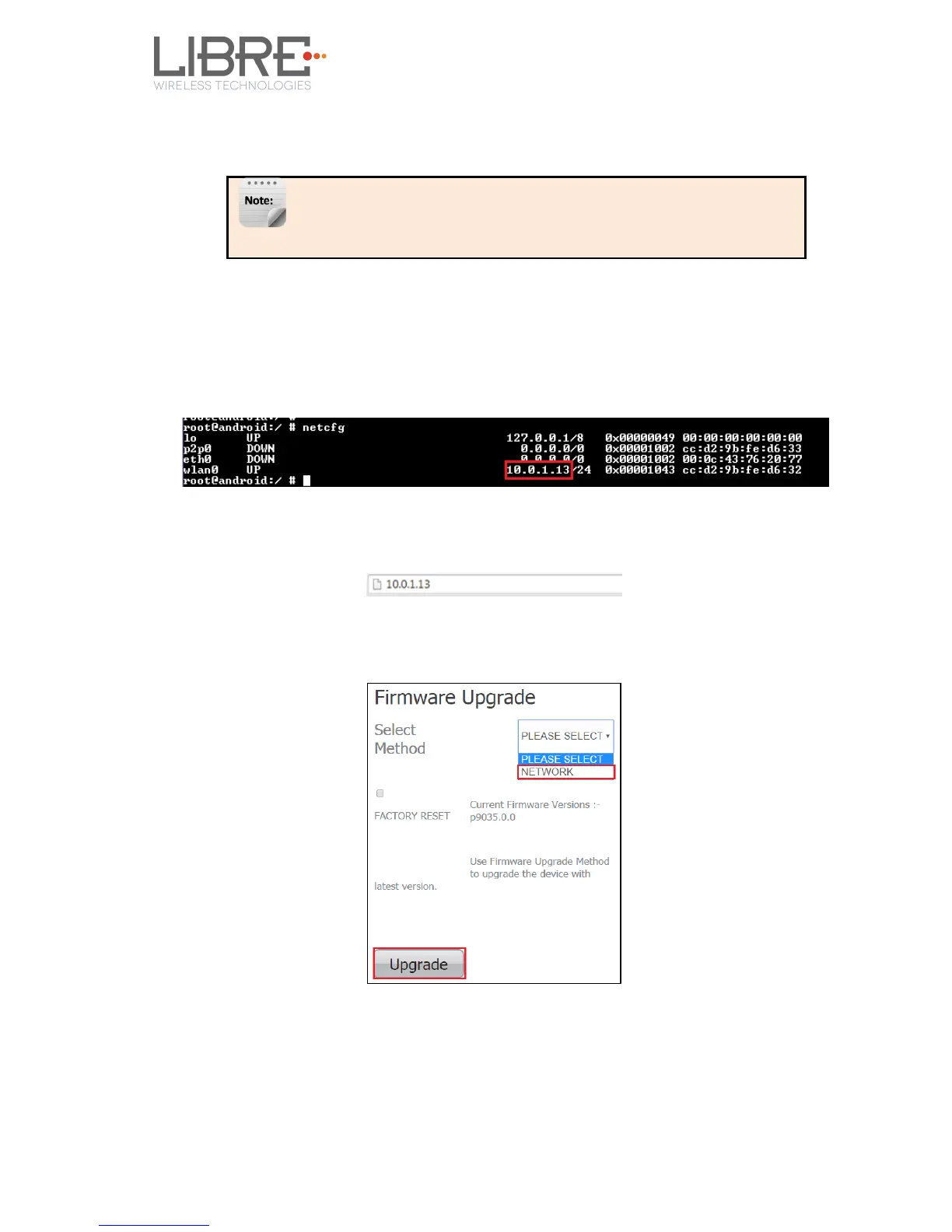
Step 1. Execute command #netcfg in the device terminal to know the device IP
For Example, 10.0.1.13
Step 2. Enter the IP in the address bar of your browser.
For Example, 10.0.1.13
Step 3. In the Firmware upgrade section, Select Method as Network and Click
Upgrade.
Step 4. Browse through the folders and select the Binary file to be updated.
Make Sure the binary file is named as 83_IMAGE_network.
Step 5. Click Update



 To Next Page