LS9 User Guide
Libre Wireless Technologies User Guide : LS9 / LS9AD, Ver. 5.3 Page 71 of 75
Libre Confidential
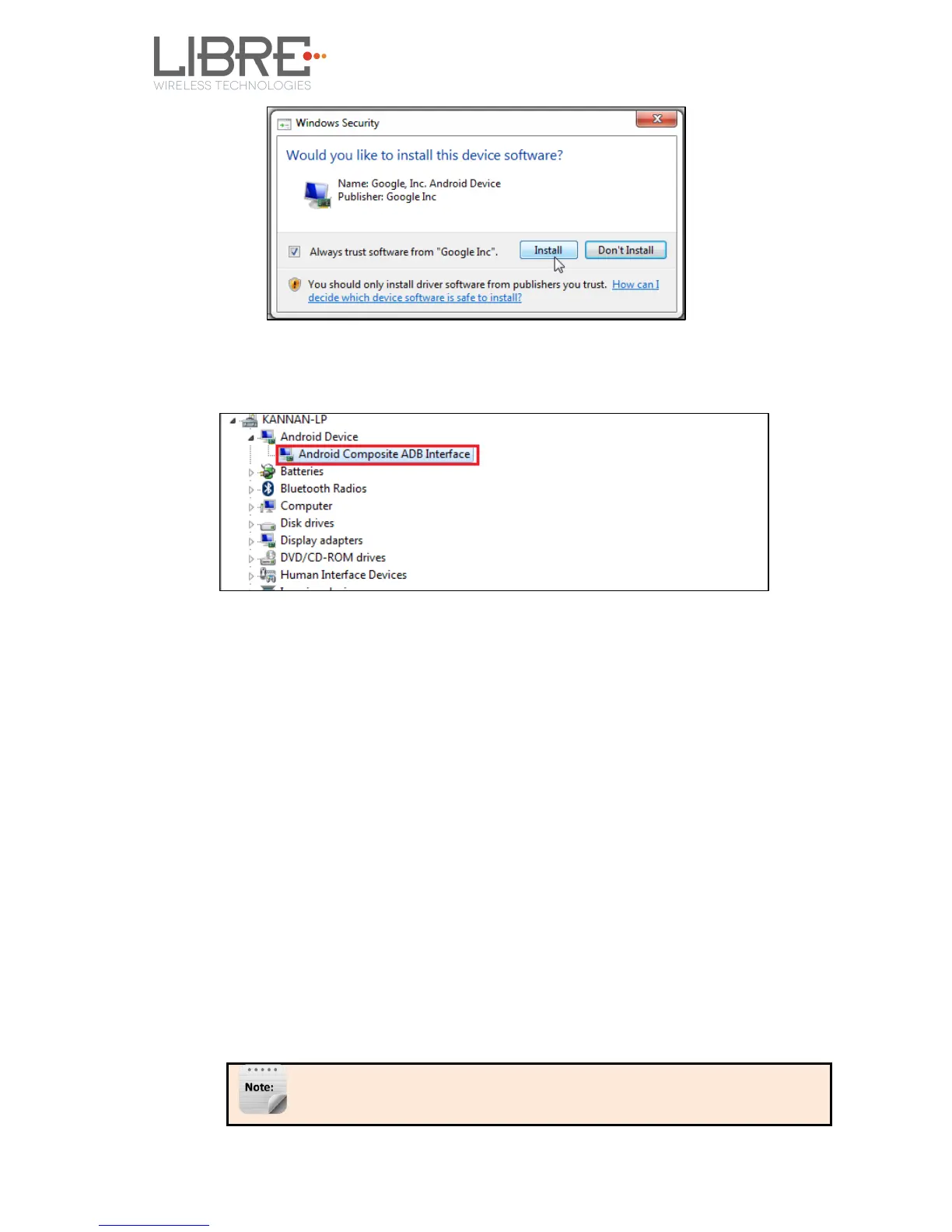
Step 12. After installation is complete, “Android Composite ADB Interface” device
is displayed as shown in the screenshot.
End --
7.5. Firmware Upgrade Using PC / Laptop Method
For PC / Laptop Method the name of the Firmware Image should be 83_IMAGE.
- This image is a standard image file
- This image is used for l2nand update (PC / Laptop)
- Size of this image is 140-150MB
To update the firmware Application Image on to the LS9 module using your PC / Laptop,
proceed as below.
Step 1. Setup the LS9 EVK system, as explained in section 2.1
1 Instead of USB Null Modem cable, Connect USB-Type-A to USB-Type-A
cable to the Laptop USB port.
2 Download and install the US_BOOT tool from
Libre Portal
LibreSync
LS_tools
LS9USB_BOOT for NEW MID



 To Next Page