LS9 User Guide
Libre Wireless Technologies User Guide : LS9 / LS9AD, Ver. 5.3 Page 50 of 75
Libre Confidential
6.14. TCP / IP Tunneling
TCP/IP Tunnelling is a unique feature supported by LS modules. Tunneling enables a Host
MCU to communicate with other network devices over UART. The Host MCU can build
their own proprietary protocol using LUCI tunneling.
For more information on TCP / IP tunneling refer LUCI document
LibreWirelessTechNote - LS_Light_Weight_Universal_Control_Interface
6.15. Wi-Fi Scan Result
Wi-Fi Scan result enables you to list the available access point. This feature is intended to
be used by the APP developers to list the available networks in the APP for configuration.
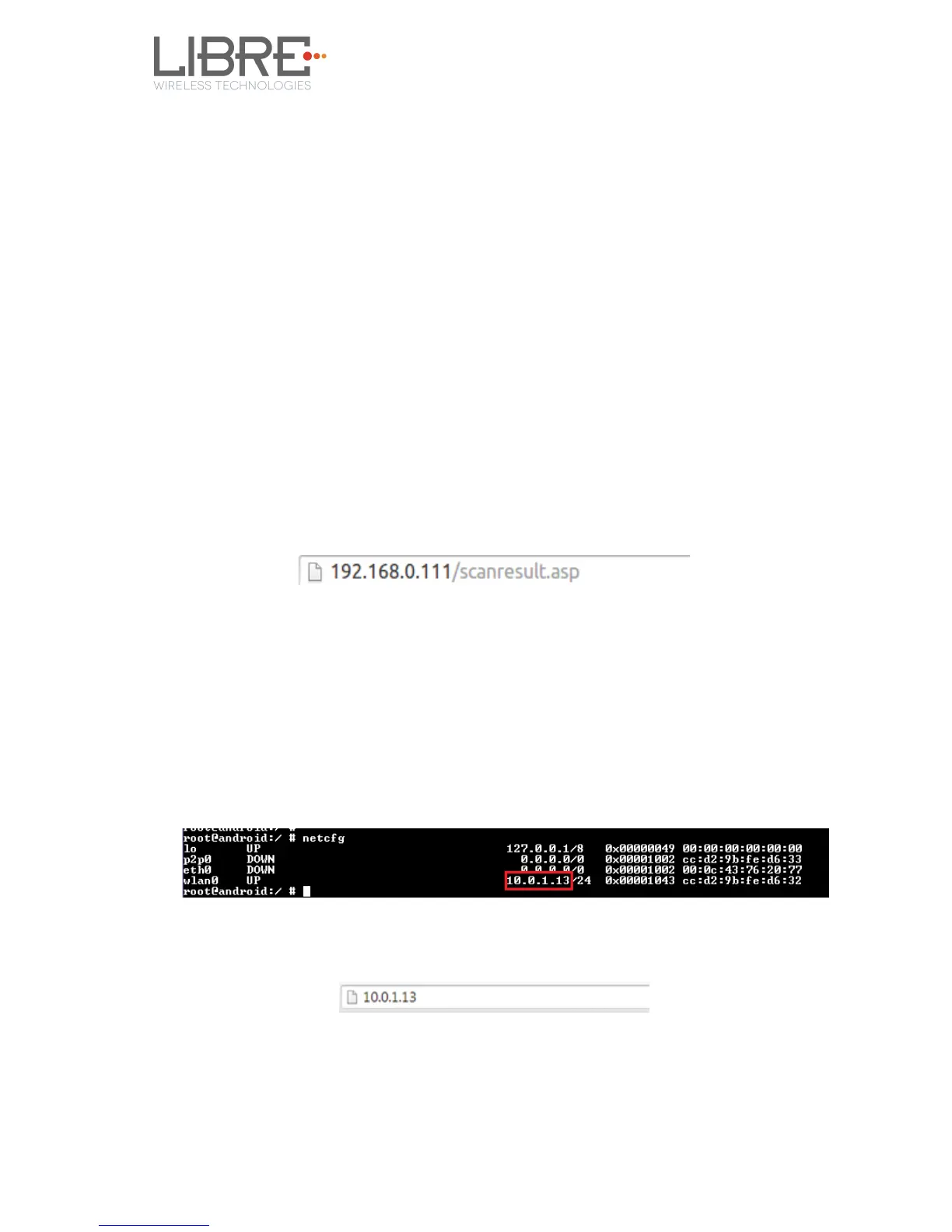
To use the feature, in the address bar of your browser enter the IP address followed by
/scanresult.asp.
6.16. Device Name Configuration
You can define a friendly name to LS-Enabled device. To define the friendly name proceed
as below.
Step 1. Execute command #netcfg in the device terminal to know the device IP
For Example, 10.0.1.13
Step 2. Enter the IP in the address bar of your browser with port number
For Example, 10.0.1.13
Step 3. In Your Device Name section, Enter the Device Name in the white box
and Click Apply
Device reboots automatically.



 To Next Page