LS9 User Guide
Libre Wireless Technologies User Guide : LS9 / LS9AD, Ver. 5.3 Page 46 of 75
Libre Confidential
6.9. AUX-In Support
Users can connect Audio Source to AUX-In jack of EVK and select the source from Libre-
APP.
6.10. USB Playback
LS supports audio playback from USB. User can select the content source from an USB
drive to stream music on LS-Enabled speaker.
6.11. DLNA
®
/ DMR
After the device is configured to the network, device is discoverable over UPnP
®
. Any
Universal Plug and Play (UPnP) / Digital Living Network Alliance (DLNA) certified
controller can be used to stream music to the device.
To test Play To functionality proceed as below
Step 1. Open Media Player on Windows 7
Step 2. In the play list, Click Play To and select the LS enabled speaker or device
Or
Right click on the song and Click Play To
Music starts streaming.
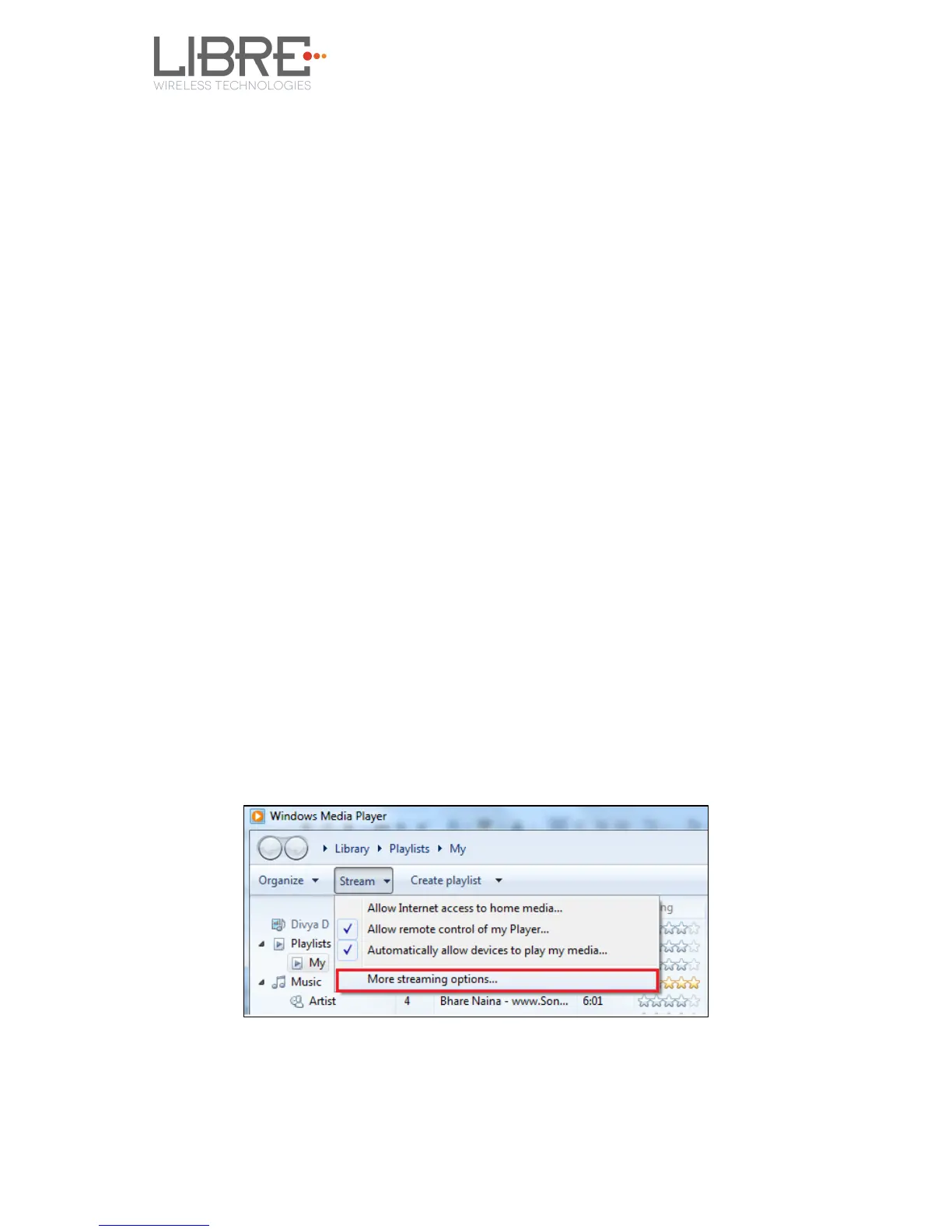
If the speaker / device is not visible on the Windows 7 Media Player, go to Stream > More
streaming options, ensure speaker is in Allowed state.
Figure 6.9-1: Media Player Stream Menu



 To Next Page