Hinet UPS User Manual
Page 14 (12/01)
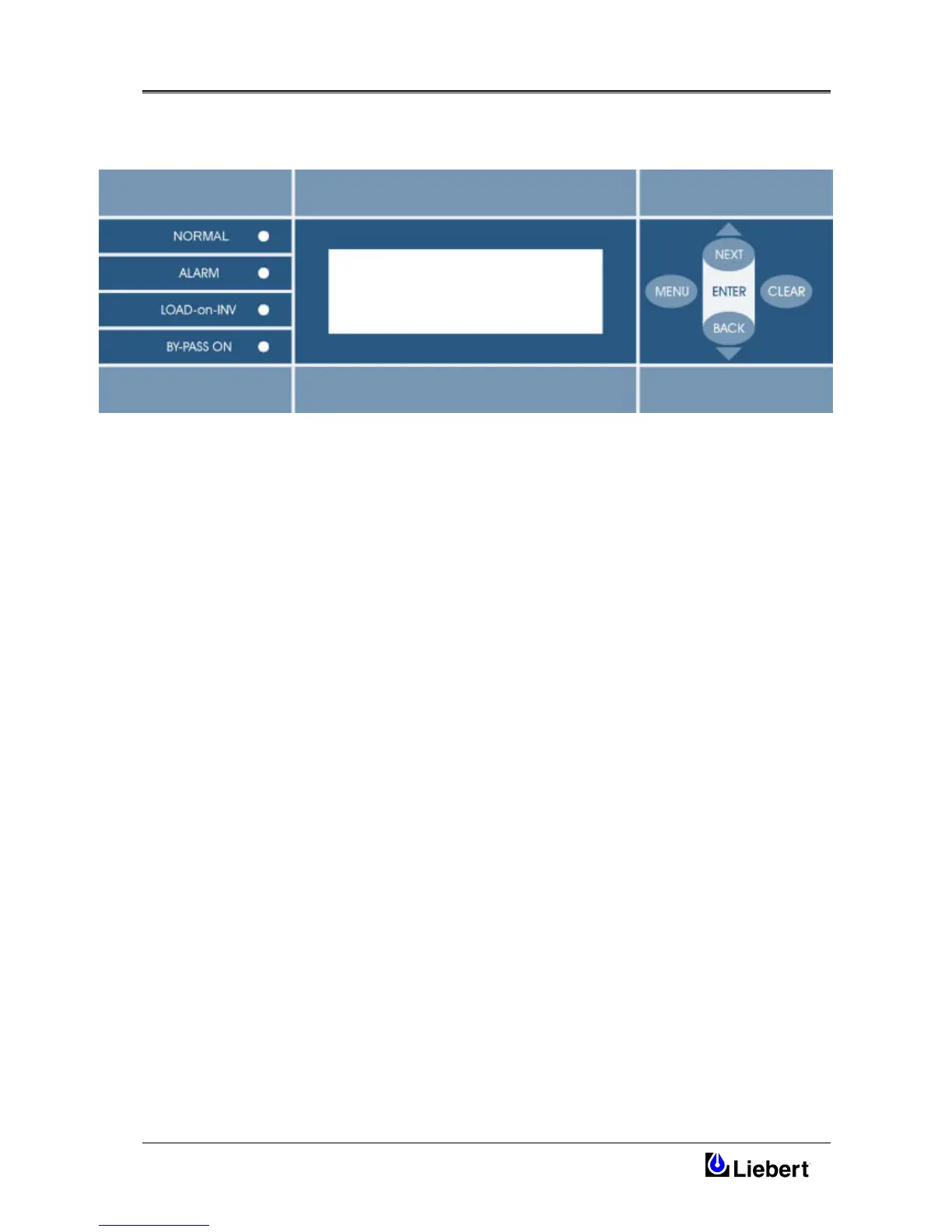
4.2 LCD control panel
Figure 4-2 LCD Display make-up
4.2.1 Control panel indicator LEDs
The Table 4-1 shows that the menu contains three levels. The main level is the State and Alarm Menu.
In this menu it is possible to see the state and operative condition of the UPS, the CLEAR Button is used to scroll
through the different windows of this menu.
From the main menu the User may have access to different menu pressing the MENU Button (second level).
Once in this level the first row will show < menu choice > and the NEXT and BACK push Button enable the User to
move from one menu level to another.
Pressing both NEXT and BACK push button at the same time the ENTER command is selected and the next lower level
will be reached, while CLEAR take you back to the previous level. To verify the acquisition of ENTER a Beep will be
heard and CONFIRMED will appeared on the Display.
The NEXT/BACK selector keys are used to scroll through different windows in the same menu.




 To Next Page