LifeSize Icon Video System Guide 5
Configuring Integrations
You can integrate your LifeSize Icon video system with the following LifeSize applications:
• LifeSize Bridge
• LifeSize UVC Manager
• LifeSize UVC Video Center
• LifeSize UVC Transit
Available options depend on the applications configured in your environment:
Learn more about configuration in the online help available when you access your video system from a
browser. Refer also to the technical documentation for LifeSize UVC Manager.
Configuring Your Firewall
This section explains how to configure your LifeSize video systems for firewall traversal, assuming you are
not using firewall traversal products such as LifeSize UVC Transit. If you are using LifeSize UVC Transit,
refer to the LifeSize UVC Transit Deployment Guide.
Placement Behind a Firewall
LifeSize recommends that you place your system behind a firewall. Use one of the following options:
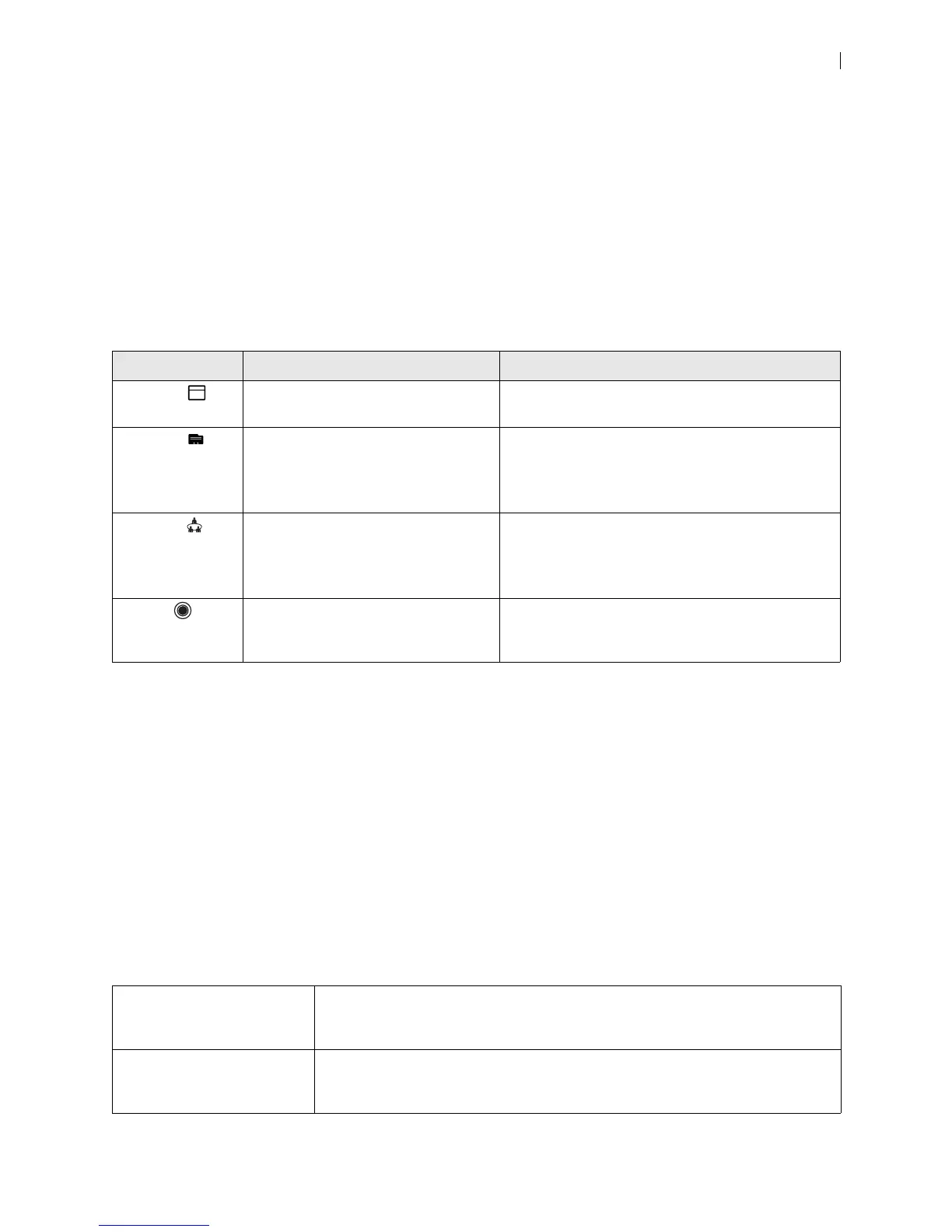
Option Description Configuration
Schedule Appears when LifeSize UVC Manager
manages your video system.
Manage your video system in LifeSize
UVC Manager.
Directory Entries appear when your video
system is integrated with a directory
server or LifeSize UVC Manager
manages your system.
Configure the directory server integration in
Preferences > Directory.
Manage your video system in LifeSize
UVC Manager.
Meetings Appears when your video system is
integrated with a LifeSize Bridge or
managed by LifeSize UVC Manager.
Configure LifeSize Bridge integration in
Preferences > Calls > LifeSize Bridge.
Manage your video system in LifeSize
UVC Manager.
Record Appears when you configure your
video system to record to a LifeSize
UVC Video Center.
Configure LifeSize UVC Video Center integration in
Preferences > Record and Stream.
DMZ with public IP address Placing your video systems in the DMZ allows you to assign public IP addresses.
This configuration makes it easier for your system to connect with public video
systems on the Internet.
Private LAN with NAT Placing your video systems in the private LAN with Network Address Translation
(NAT) obscures their private IP addresses, but makes calls with systems outside of
your network more complicated.


 To Next Page