17
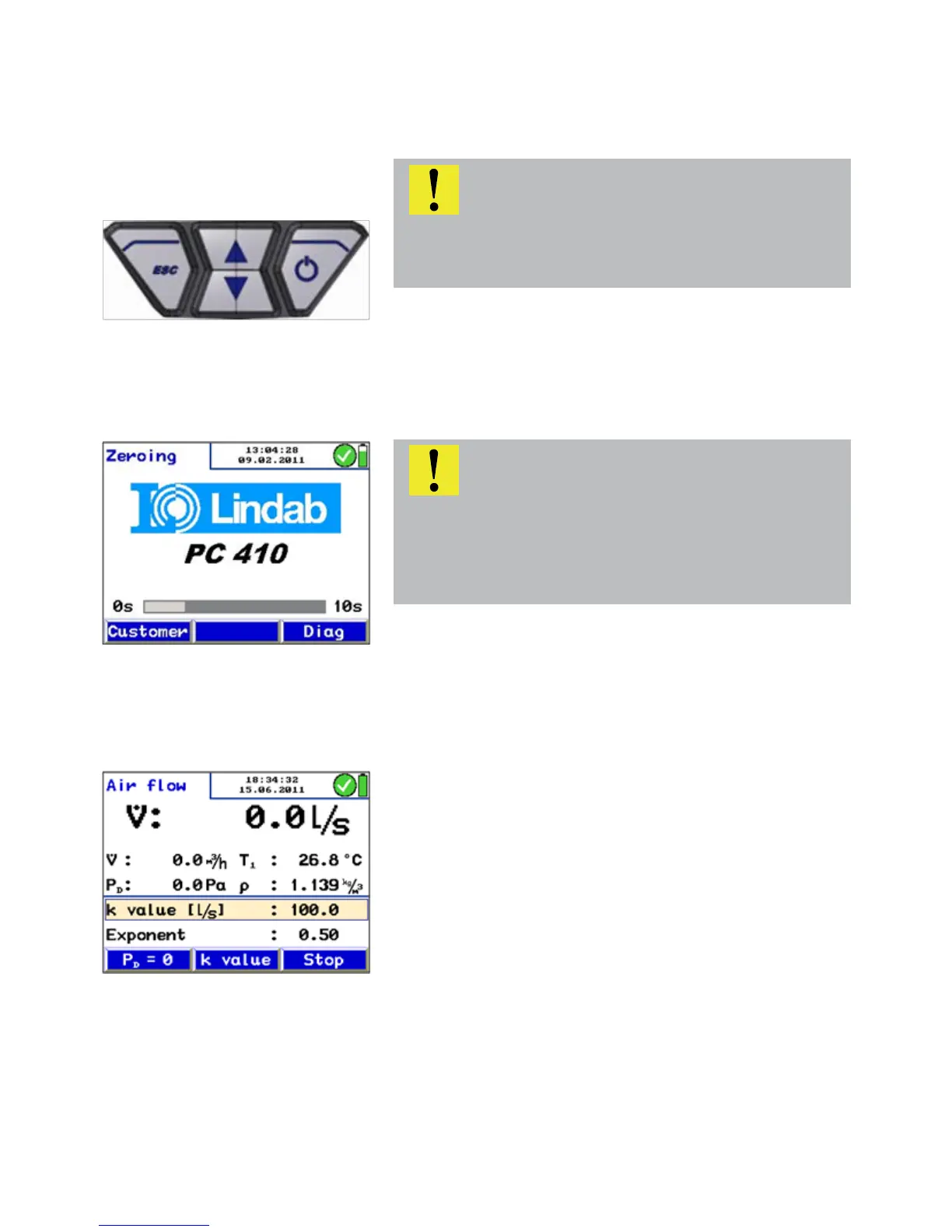
5.2 Measuring After that the meter will automatically switch to the Air flow
measuring mode.
1. Al readings (measured and computed values) will be
shown continuously in the readings segment.
The following functions can be selected from the menu
segment
• Submenu „PD=0“: The pressure sensor will be zeroed once
again.
• Change the k-value
• Stop-key to stop the measurement
5. Operation
5.1 Turning the Meter on and Self
Check
• Turning on the Meter Press on/off-key (on the right)
The Meter will automatically start with a 10 second self test
and zeroing.
ATTENTION!
Before the Meter is used, a visual check must ensure each
and every time that all functions work properly.
ATTENTION!
Do not connect any hose while the Meter is performing the
self check and do not expose it to any differential pressure,
because the pressure sensor will automatically be zeroed
during the self test.
Fig. 11: Key pad with on/off-key
Fig. 12: Zeroing
Fig. 13: Measuring mode



 To Next Page