24
6.2.3 Performing the Test
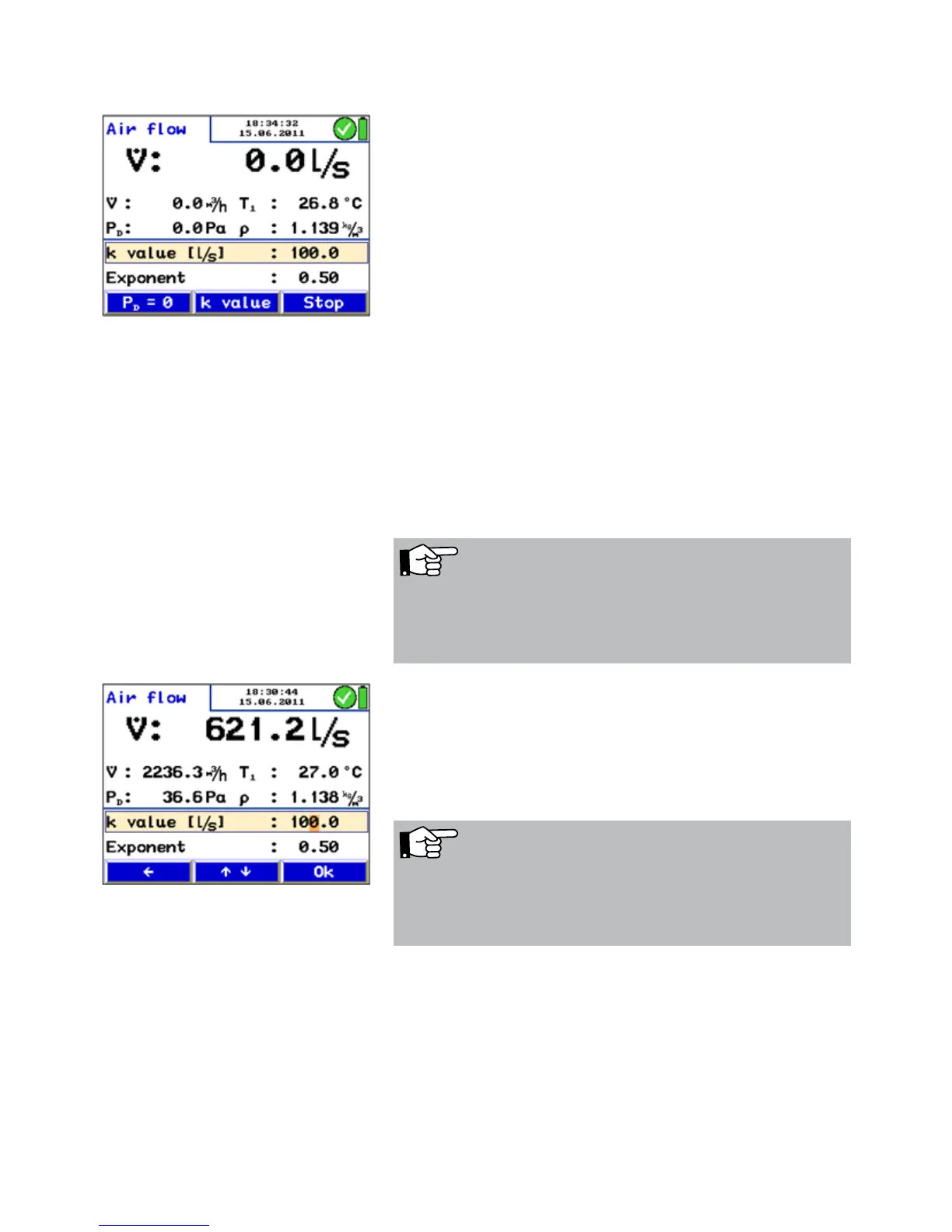
After the measuring mode has been activated, in the upper
part of the display the air flow will be indicated in the unit
selected in the setup-menu.
Below, the airflow will be indicated in the other unit.
If temperature sensors are connected, T1 is the reading of
the temperature measured by the sensor connected left and
T2 is the reading of the temperature measured by the sensor
connected right. If no temperature sensor is connected, the
meter will calculate with the standard density
value r = 1,200 kg/m³.
The following values will also be indicated:
Differential pressure P
D
Air density r
k value Below, the k value that has been entered by the user is indi-
cated.
Fig. 21: Menu "Air flow (k value)"
Enter the k-value as follows.
• Select K value, see Fig. 21: Menu "Air flow (k value)"
• Increase or reduce the value with the up and down keys.
• Press OK to confirm.
NOTE!
The k value is specified in the data sheet of the air vent. The
user must enter this k value into the Lindab PC 410 before
starting the measurement.
Fig. 22: Entering the K-value
NOTE!
Always enter the k value related to l/s (even if you have
changed the air flow unit from l/s to m3/h in the setup-
menu).



 To Next Page