25
P
D
= 0 Press PD = 0 (menu bar, see Fig. 21: Menu "Air flow (k value)"
to zero the pressure sensor.
NOTE!
We recommend to zero the pressure sensor, if the pressure
indicated in the display is not PD = 0 after the measuring
hoses have been removed.
• When measuring, wait until the value has stabilized and
then press "Stop".
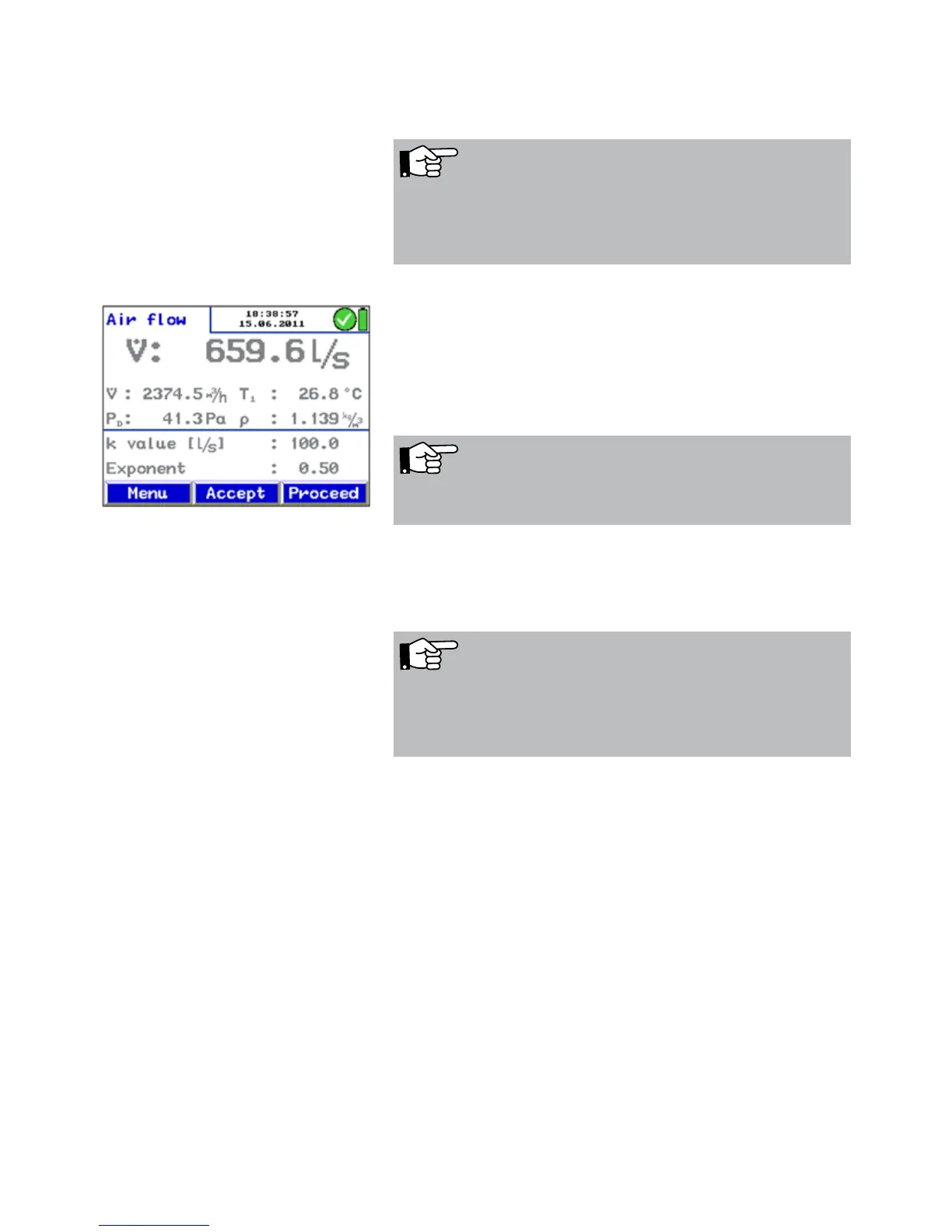
• Press "Accept" to capture and save the value. In the main
menu a tick mark beside the menu "air flow (k value)" will
indicate that the measurement has already been done.
• Press "Escape" to exit the menu without saving.
Press "Proceed" to return to the menu "air flow (k value)" for
further measurements.
NOTE!
Select "Print" to print out a report.
NOTE!
If the airflow reading is not stable or if the resolution is not
high enough, go to the Setup-menu and select Attenuation
> fine (see chapter 6.12)
Fig. 23: measuring value that has not been
accepted yet.



 To Next Page