26
6.3 Option “K-Value Matching”
This mode allows to adjust the k-value of iris apertures, air
passages and terminal boxes.
If the component is equipped with an adjustment scale for
the k-value, the airflow can be adjusted without a calculator
or a diagram.
Go to the main menu and open the submenu "k-Value Match-
ing".
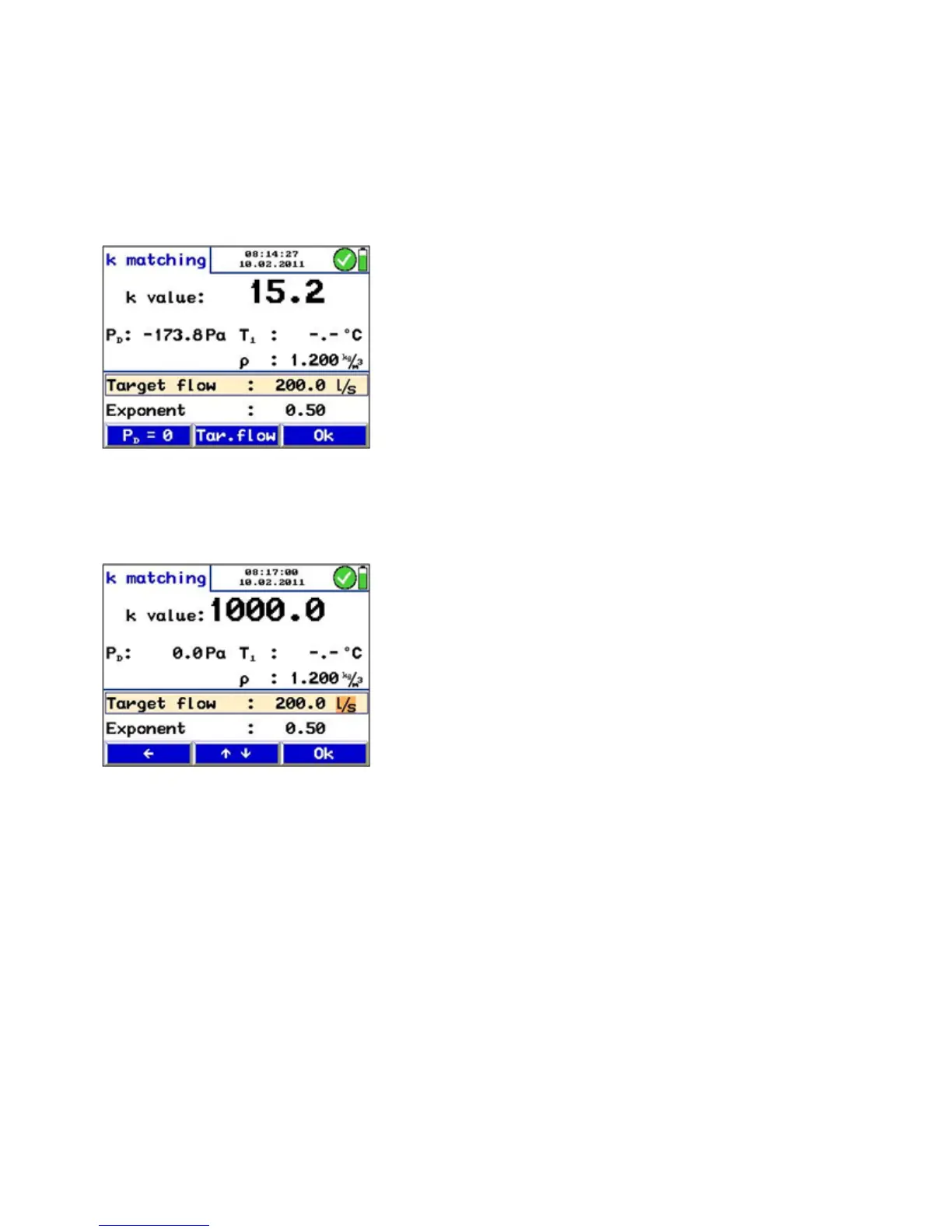
The menu shown in the figure will appear. The k value is indi-
cated in the upper part of the display.
Below the k value, the differential pressure PD and the air
density r will appear.
If temperature sensors are connected, T1 is the reading of
the temperature measured by the sensor connected left and
T2 is the reading of the temperature measured by the sensor
connected right.
Target Flow Below the target flow is indicated. The target flow has to be
entered by the user.
Enter the target flow as follows:
• Select the "Tar. flow"-key from the menu bar (see Fig. 24).
• Increase or reduce the value with the up and down keys.
• If necessary, select m³/h or l/s and change the unit.
• Press OK to confirm.
Fig. 24: Menu K-Value Matching
Fig. 25: Entering the Target Flow



 To Next Page