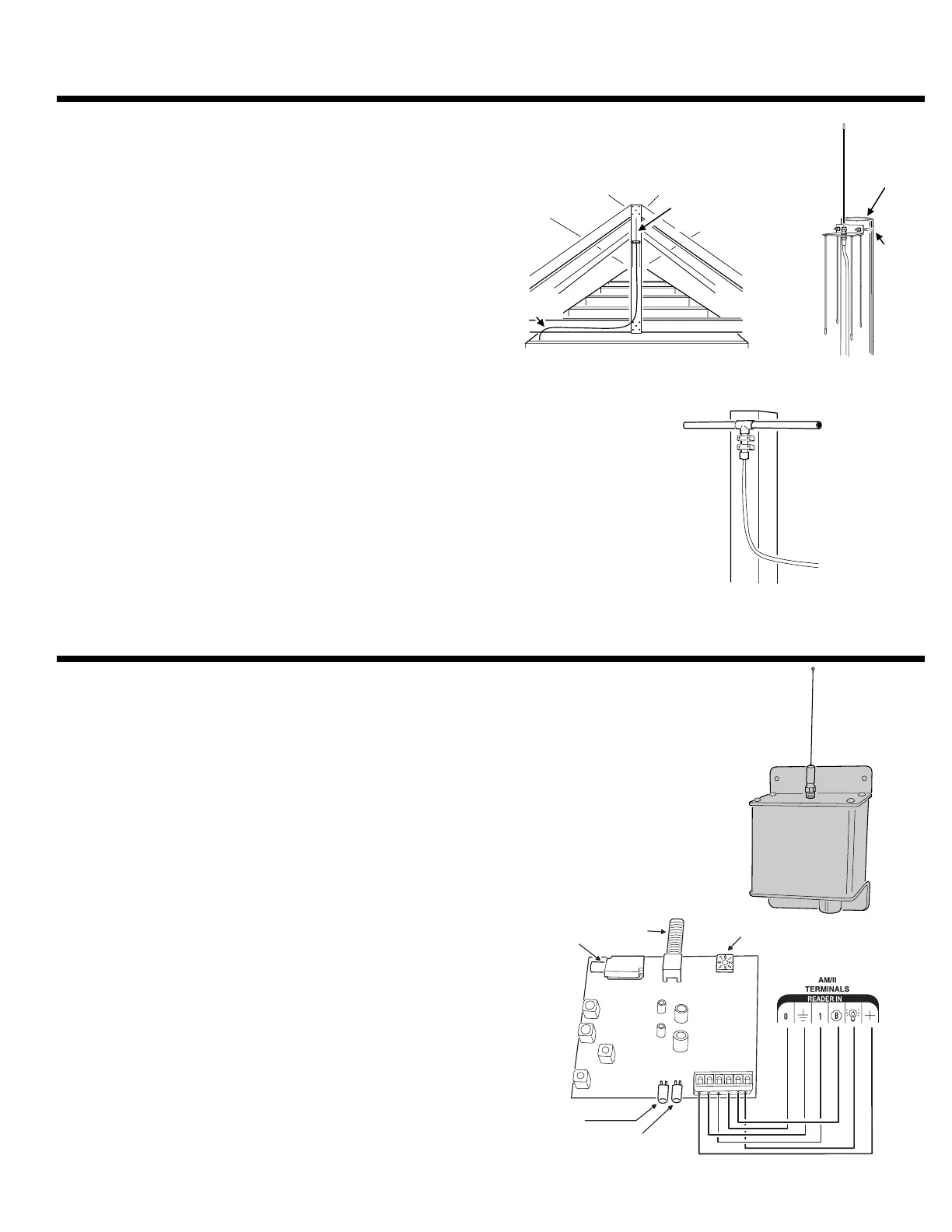
ANTENNA HOOK-UP
If using a remote antenna, construct the antenna kit as
described in its instructions. Mount the antenna as high as
possible. Connect the coax lead to the AM/II antenna
connector. Up to 25 feet of coax cable may be used to connect
the antenna.
☞
NOTE: Mount the antenna at least 10 feet from the AM/II
control.
REMOTE RADIO RECEIVER CONNECTIONS
The Model AM-RRR remote radio receiver can be used to
extend the radio range and remote the radio input of the AM/II.
Use the AM-RRR with its local whip antenna or with the
EXA-1000 or EXA-2000 remote antennas.
The receiver is connected to the READER IN terminals on the
AM/II. Follow the instructions supplied with the remote receiver
and the hook-up diagram shown.
The DEVICE ADDRESS SELECTOR switch in the unit selects
the device address. It must be set from 1-6, and be different
from any other remote accessory device.
ANTENNA
MOUNTED
AS HIGH
AS POSSIBLE
CO-AX TO
RECEIVER
U-BOLT
2" MAX
DIA.
ATTIC MOUNTING POST MOUNTING
(RED)
(BLK)
(GRN)
(WHT)
(BLU)
(ORG/YEL)
PWR
GND
DAT1
DAT0
DVAL
CLK
RADIO
RANGE
CONTROL
RADIO
SIGNAL
INDICATOR
ACCESS GRANTED
INDICATOR
RED = POWER
GREEN = ACCESS
DEVICE
ADDRESS
SELECTOR
ANTENNA
CONNECTOR
EXA-2000
DIRECTIONAL
ANTENNA
MOUNTED
ON WOOD
POST
25



 To Next Page