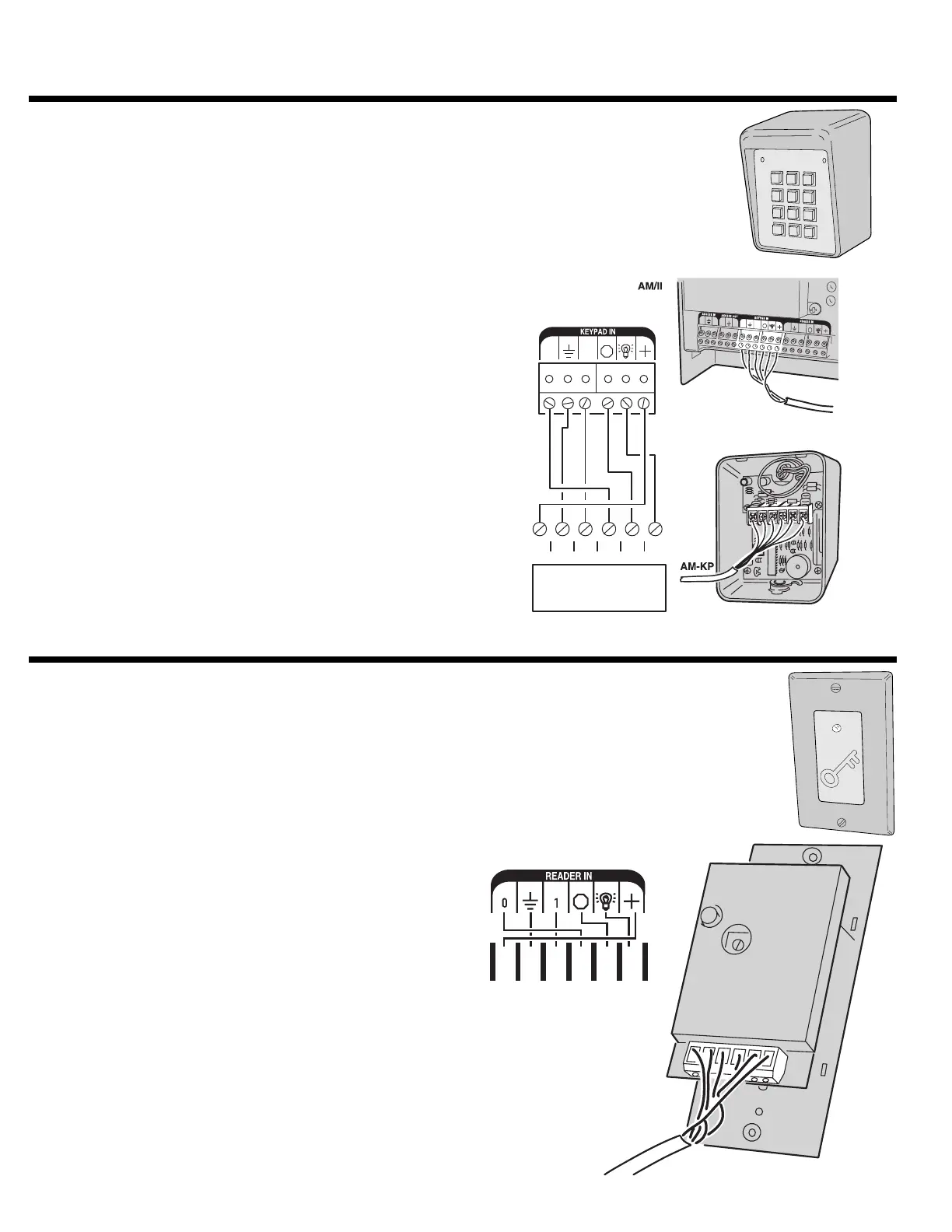
REMOTE KEYPAD CONNECTIONS
The Model AM-KP access control keypads can be used for
manual code entry for the AM/II. The keypad can be mounted
on a pedestal or directly to a wall.
The keypad is connected to the KEYPAD IN terminals on the
AM/II. Follow the instructions supplied with the keypad and the
hook-up diagram shown.
The DEVICE ADDRESS SELECTOR switch in the unit selects
the device address. It must be set from 1-6, and be different
from any other remote accessory device.
REMOTE PROXIMITY RECEIVER
The Model AM-RPR proximity receiver can be used for
ultra-short range transmitter reception at access portals. The
transmitter will have to be activated right next to this receiver
to activate it. The receiver is mounted in a single-gang plastic
outlet box.
The receiver is connected to the READER IN terminals on the
AM/II. Follow the instructions supplied with the proximity
receiver and the hook-up diagram shown.
The DEVICE ADDRESS SELECTOR switch in the unit selects
the device address. It must be set from 1-6, and be different
from any other remote accessory device.
*
5
6
7
8
9
0
#
1
2
3
4
FOR LOCAL POWER,
DISCONNECT RED WIRE AND
CONNECT EXTERNAL 12 VDC
POWER SUPPLY TO PWR & GND
B
O
1
O
O
O
1
1
1
B
B
O
1
PWR GND
DAT1
DAT0 DVAL
CLK
GRN
BLK
WHT
BLU
ORG/YEL
RED
PWR
GND
DAT1
DAT0
DVAL
CLK
AM/II TERMINALS
B
AM-RPR
26



 To Next Page