Link HD System Manual
Document # -HD System Man Iss 1.1 Issue 1.1 06/11/2007
Page 30 of 31
4 Maintenance & Firmware Upgrades
4.1 Remote Control Commands
The Link XPe Transmitter (L1303) is configured using the Link Configurator software running on a PC via the RS232
interface.
This allows the configuration of the transmitter; the video input type, transmitter frequency, COFDM modulation scheme
and audio input gain settings can all be set and stored in the unit.
Please refer to the Link Research website for a copy of this Link Configurator software and the Control commands.
http://www.linkres.co.uk/s_01.php?uid=97
4.2 Firmware Upgrades
Link Research equipment is designed to allow for firmware upgrades providing new features and continual improvements
during the life of the product.
Please consult the Link Research website for details of the latest firmware releases. http://www.linkres.co.uk/support.php
4.3 L3020 Down Converter Filter Change
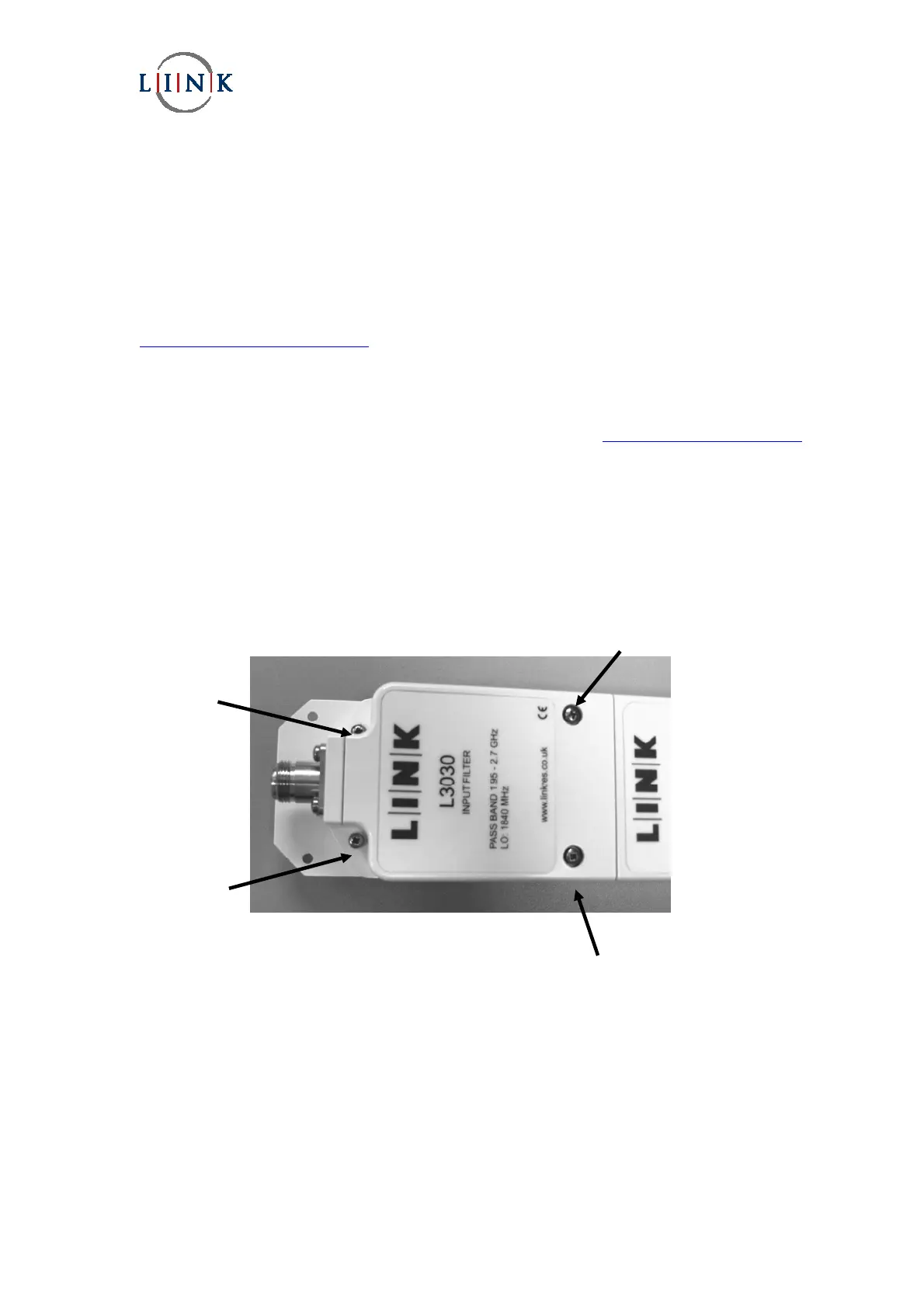
The optional filter unit can be changed very easily. It is only necessary to remove the four screws indicated in the figure
below and then lift the filter unit straight up and off the down converter base. The four screws have captive washers on
them to prevent them from being lost.
L3030 1.95GHz to 2.7GHz (supplied as standard)
L3033 2.2GHz to 2.3GHz
L3034 2.3GHz to 2.4GHz
L3037 2.5GHz to 2.7GHz
Long fixing screw
Short fixing
screw
Short fixing
screw
Long fixing screw


 To Next Page