ATTACK
™
DIGITAL FIRE TRAINING SYSTEM
16
WWW.LIONPROTECTS.COM
SETTING UP THE OPTIONAL WATERTIGHT SMOKE GENERATOR CASE
1. Read and follow all instructions in the Smoke Generator user manual.
2. Position the Smoke Generator Case in a desired location that is within 50 ft.
(15.24 m) of a power source that can provide 15 amps of power.
NOTE
The case can get wet; however, it is not
recommended that it get sprayed directly with a hose line.
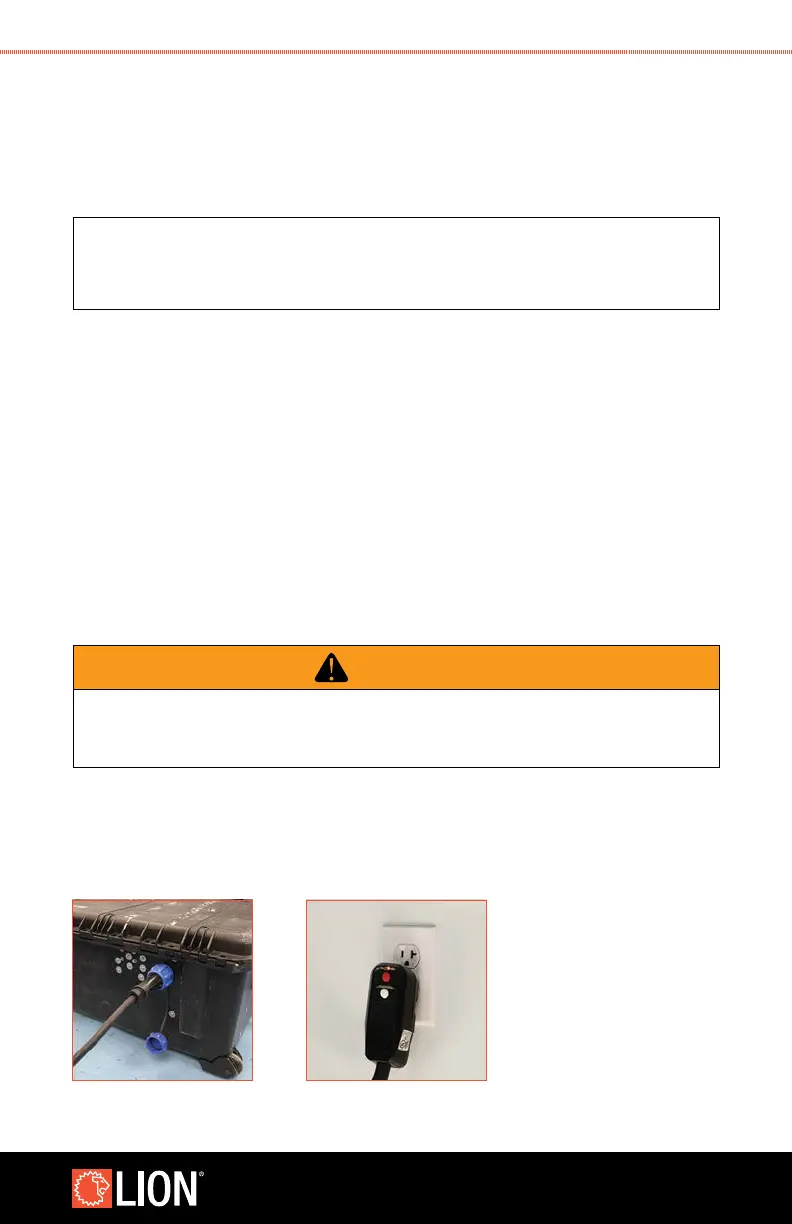
3. Connect the provided power cord to the Smoke Generator Case. The connector for
the power cord is located on the hinged side of the case and is covered by a blue
cap when not in use. Unscrew the cap and secure the power cord. Note that the
connector is “keyed” so the cord will only attach to the connector when lined up
with the features on the connector. Secure the connector by rotating the blue collar
clockwise until it is snug.
4. For owners using a previously purchased LION Smoke Generator 4000
™
(ETNA),
you will
need to install the provided nozzle plugs onto your Smoke Generator to
protect the
Smoke Generator from water entry through the nozzle. If plugs are not installed, damage
to property or personal injury may result.
5. Run the power cord to a Ground Fault Circuit Interrupter (GFCI)/Residual-Current Circuit
Breaker (RCCB) outlet. You may need to push the reset button on the GFCI power cord
to ensure that the GFCI is supplying power.
WARNING
Use the power cord provided by LION with the integrated GFCI. Do not alter
the power cord or defeat the GFCI. Failure to follow these instructions could result in
property damage, personal injury, or death.
STEP 2 STEP 4



 To Next Page