14
Using the Remote Control
6
30 30
IR Receiver
-/--
P.MODE
S.MODE
FAV
SLEEP
FREEZE
CH.LIST
AUTO
ASPECT
SOURCE DISPLAY
CH
Oper ating the Remote Control
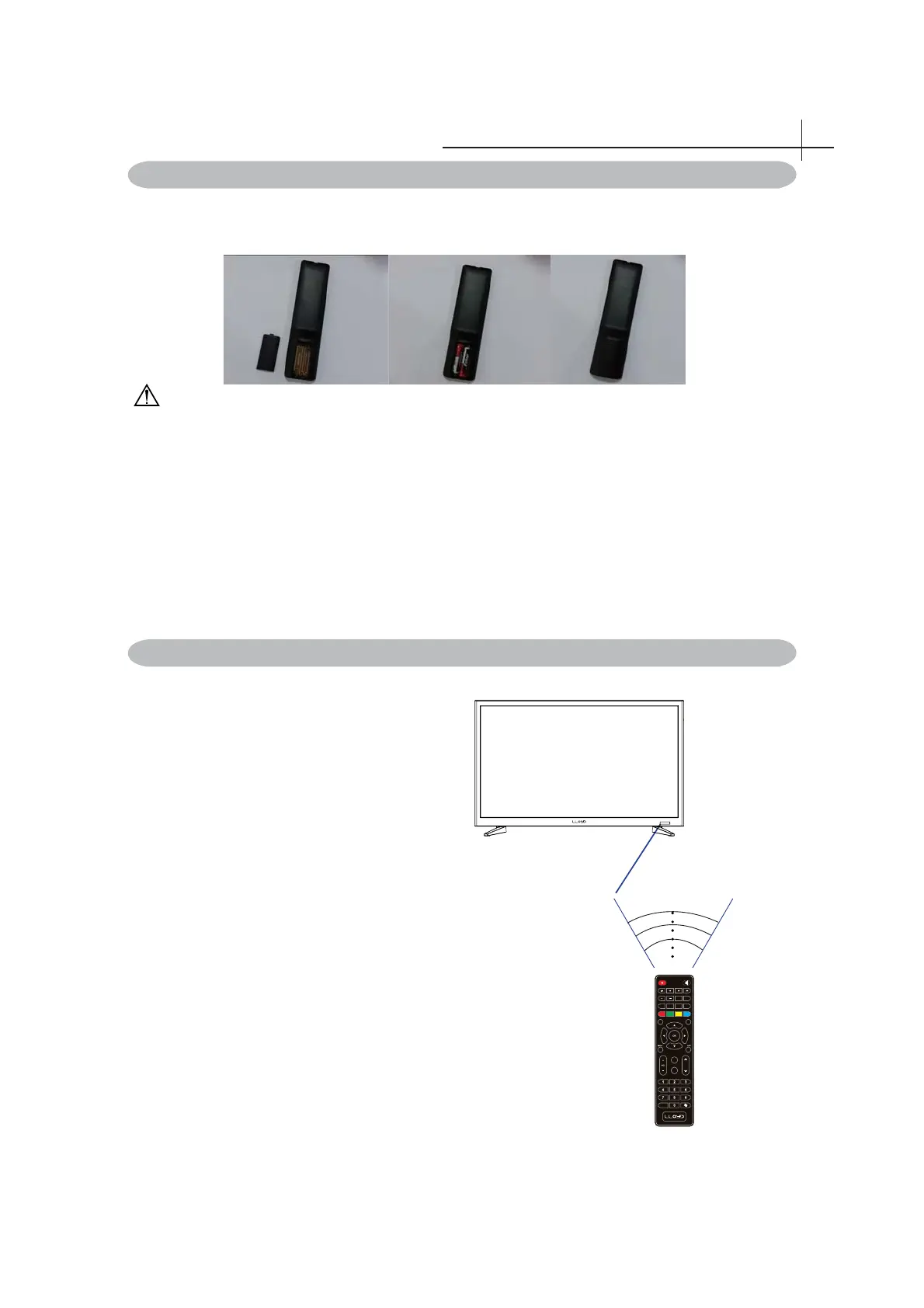
1 .Aim Remote Control directly at the Remote
Control Sensor on the left down corner of the TV
set.
2 .Remote Control range is at approx.16 feet with
angles of approx.30 degree.
3. Avoid obstructions between the Remote Control
and the sensor.
☼If you do not intent to use the remote control for a
long time, remove the batteries.
☼If the remote control does not operate correctly, or
if the operating range reduced,replace both batteries
with new ones.
Inserting Remote Control Batteries
1. Remove the battery cover by pulling then lifting the knob on the cover.
2. Insert the batteries, corresponding to the (+) and (-) markings on the battery compartment.
3. Reattach the battery cover.
CAUTION
• Only use the specifi ed AAA batteries.
• Do not mix new and old batteries. This may result in creaking or leakage, which may pose a
risk of fi re or lead to personal injury.
• Insert batteries according to (+) and (-) markings. Inserting the batteries incorrectly may result
in leakage, which may pose a risk of fi re or lead to personal injury.
• Dispose of the battery in accordance with local laws and regulations.
• Keep the batteries away from children or pets.
• When the remote control will not to be used for an extended period, remove the batteries.



 To Next Page