17
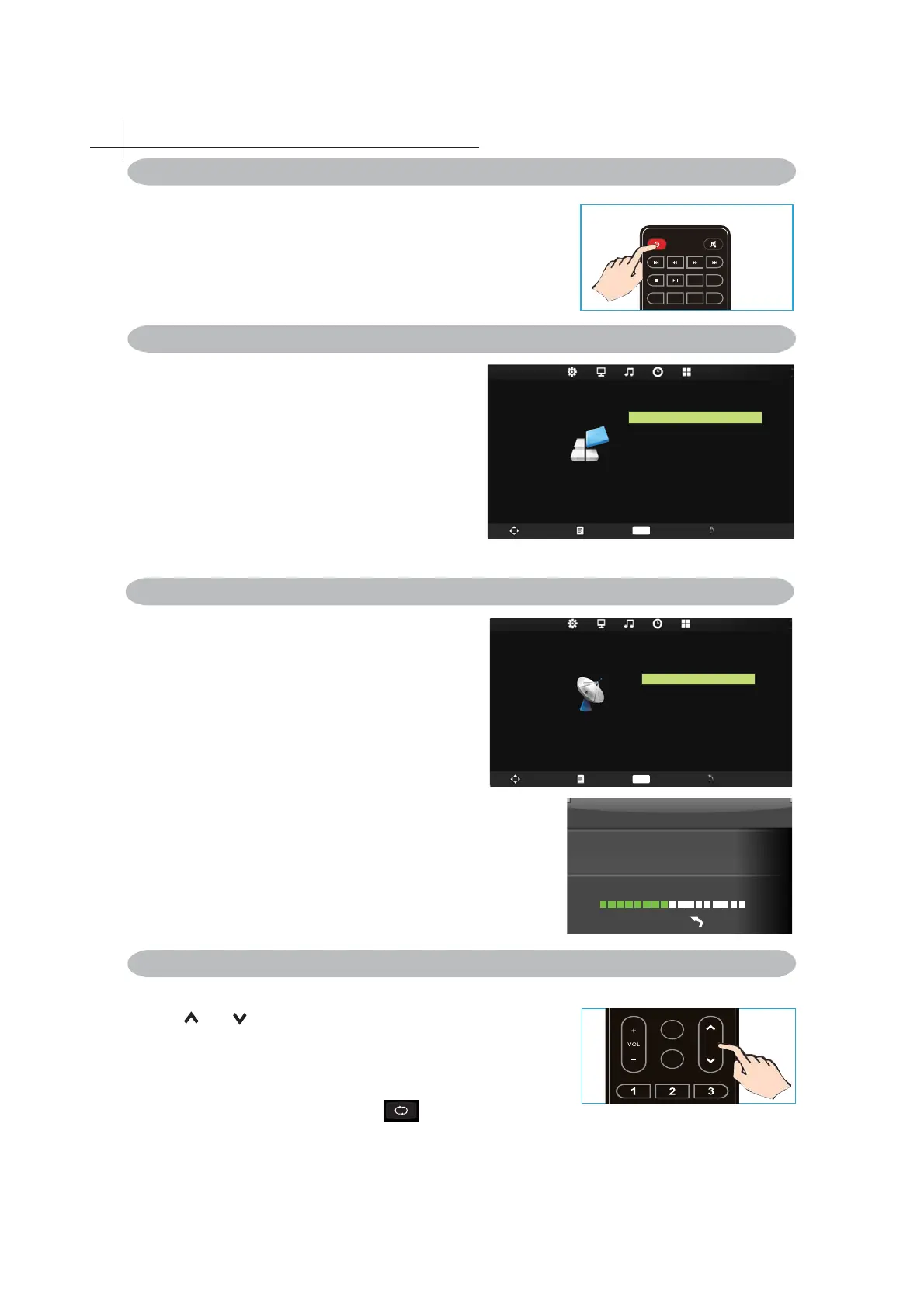
Press the POWER button on the remote control.
You can also use the Power button on the side of the panel.
P.MODE
S.MODE
FREEZE
CH.LIST
AUTO
ASPECT
*If there is no input signal within 15 minutes, TV will be
turned off automatically.
Turning the TV On and Off
Select Language
The fi rst time you switch on the TV,please select the
language for the TV menu and follow the On Screen
Display prompt to complete the TV setup.
Language Setting
1 .Press MENU on the Remote Control to display the
main Menu.
2. Press◄ or ►to locate the SETTING.
3. Press▼to highlight OSD Language item.
press►to enter OSD Language submenu.
4. Press◄ or ► to select one of OSD languages.
5. Press MENU to return.
1. Using Channel Buttons
Press
CH button to change channels, and the TV
changes channels in sequence. You will see all channels
that have been memorized. Channels erased or not
memorized will not be shown.
*Return to the previous channel, press button.
Changing Channels
OSD Language English
Blue Scr e en
Ke y Lock O f f
Reset
Software Update(USB)
Off
Aspect Rat io 16: 9
SETTING
Swap Menu Enter Exit
OK
Install TV Channels Automatically
1 .Press MENU on the Remote Control to display
the main Menu.
2. Press◄ or ►to locate the Channel Setting.
3. Press▼to highlight Auto Scan item.
4.press►to enter Auto Tuning submenu.
5. Press MENU to return.
CHANNEL
Auto Tuning
Manual Tuning
Programme Edit
Swap Menu Enter Exit
OK
FAV
SLEEP
CH
Channel Tuning
TV : 5 Programme(s)
44%... 433.75MHZ (TV)
Menu
Basic Operation of the TV
7



 To Next Page