8
3
Installing the LED TV
Installing the Stand
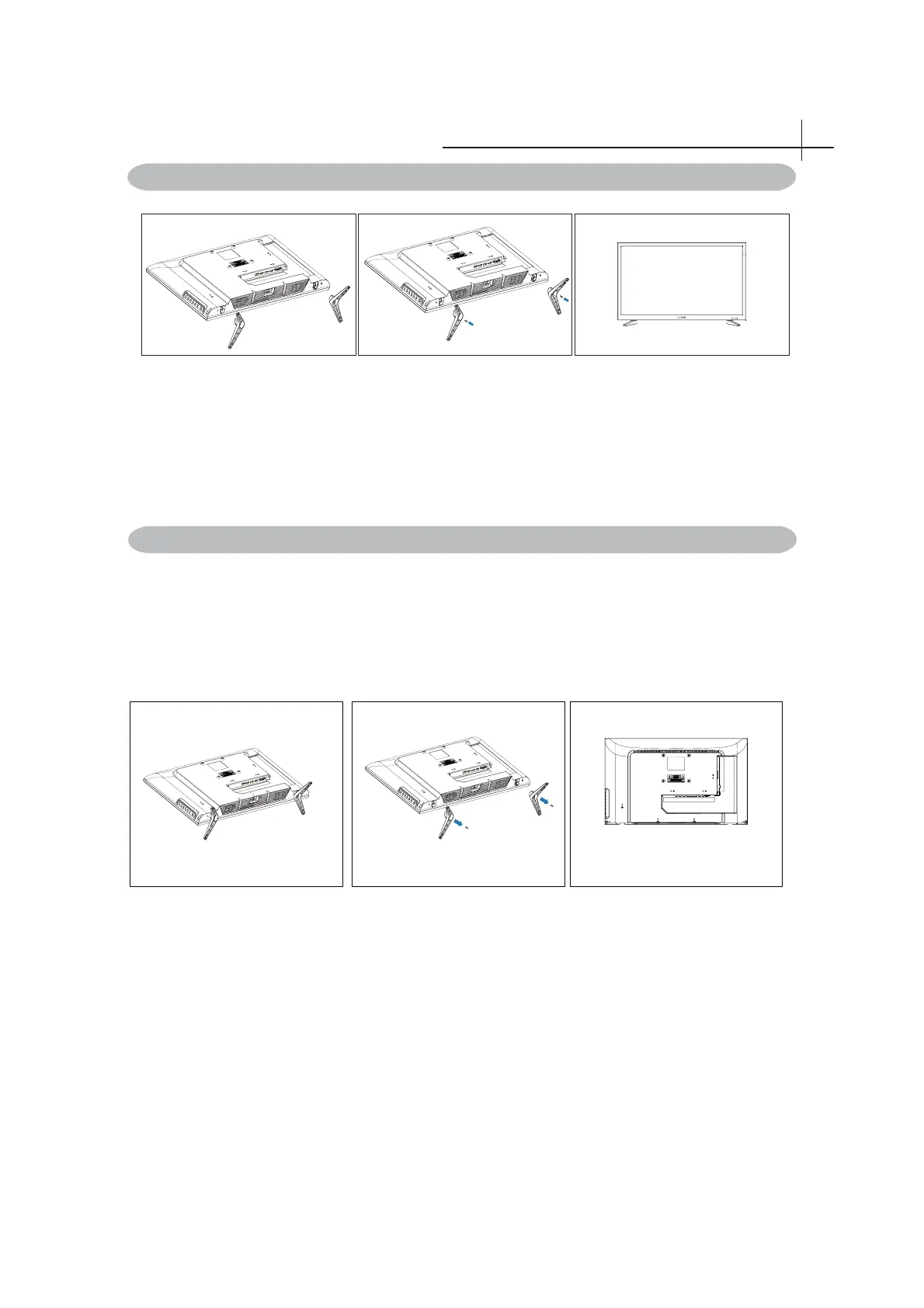
Figure 1 Figure 2 Figure 3
Figure 1 Figure 2 Figure 3
Disconnecting the Stand and neck
1. Place the TV set on soft cloth or cushion with face down.Place the base in position as shown.
(see Figure 1).
2. Insert and tighten 2screws into the pedestal holes as show (see Figure 2)
3. Stand the TV up. (see Figure 3)
1. Lay the TV fl at on a table with the LED screen face down. To prevent the TV from being
scratched, put a piece of soft cloth on the table on which the screen will be set. (see Figure 1)
2. Then remove the stand as show. (see Figure 2)
4. Then you successfully removed the base and neck. (see Figure 3)



 To Next Page