SW500 Wired Scale Systems, Users
Rev E,October, 2016
Page 18 of 36
Controls
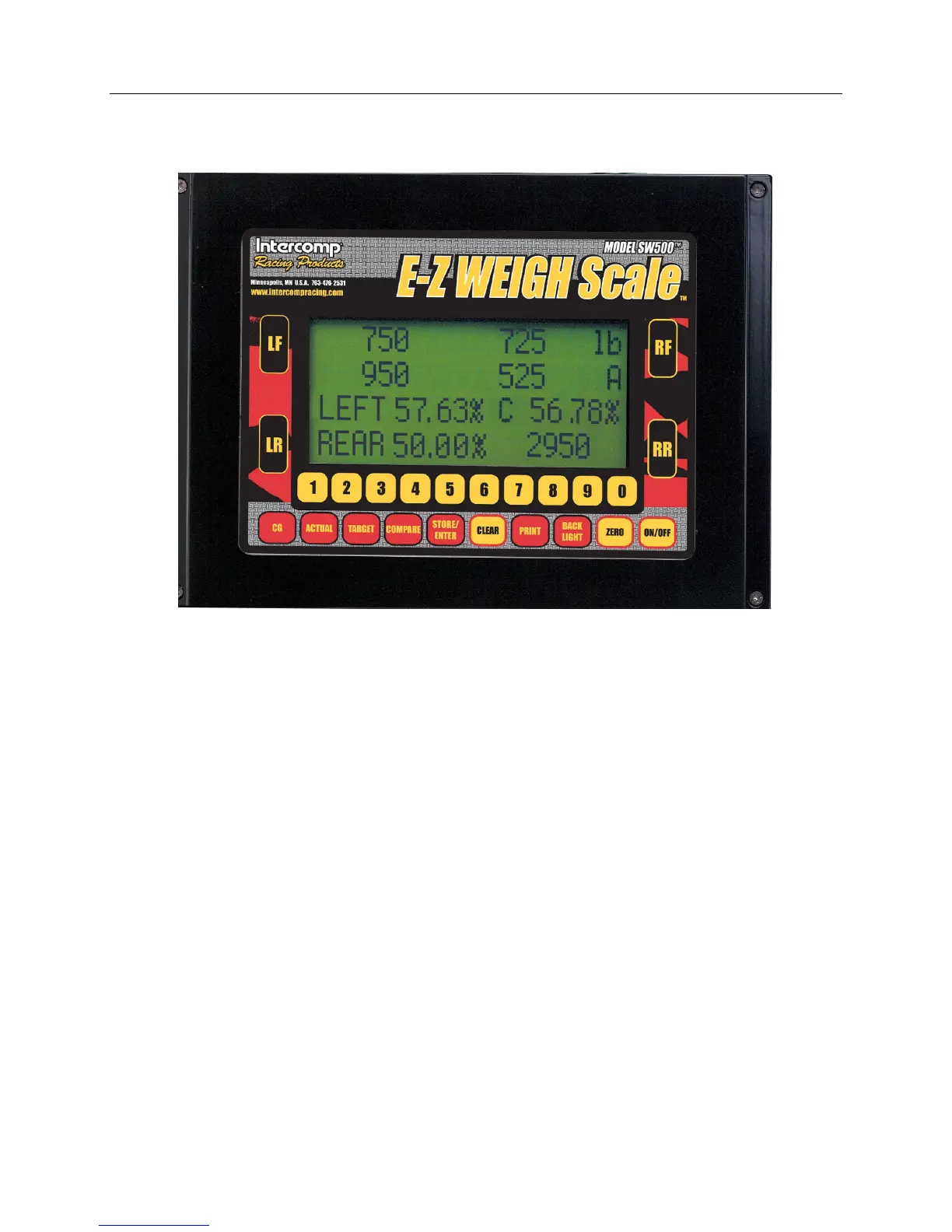
The SW E-Z Weigh display is shown
ON/OFF
Press the ON/OFF key to turn the indicator on and off.
ZERO
Press the ZERO key to bring up the zero menu. Press LF, RF, LR, or RR to zero
an individual pad or press ZERO to zero all four pads. When the scale is turned
'off' the current zero will be remembered. That means that if a car is on the
weigh pads and the unit is turned 'off'; when the scale is turned 'on' the current
weight will be displayed, not zero.
AZT (Auto Zero Tracking)
This system contains a feature called Auto Zero Tracking (AZT), which
corrects slight zero changes during normal operation. If small weights are
added while the display is at or near zero, the indicator may zero them off.
BACKLIGHT
Press the BACKLIGHT key to turn the backlight on and off.


 To Next Page