SW500 Wired Scale Systems, Users
Rev E,October, 2016
Page 31 of 36
Total Only continuous output
This will transmit a line with the total weight about four times per second:
“ 5002<cr><lf>”
“ 5002<cr><lf>”
“ 5004<cr><lf>”
Serial Output Wiring
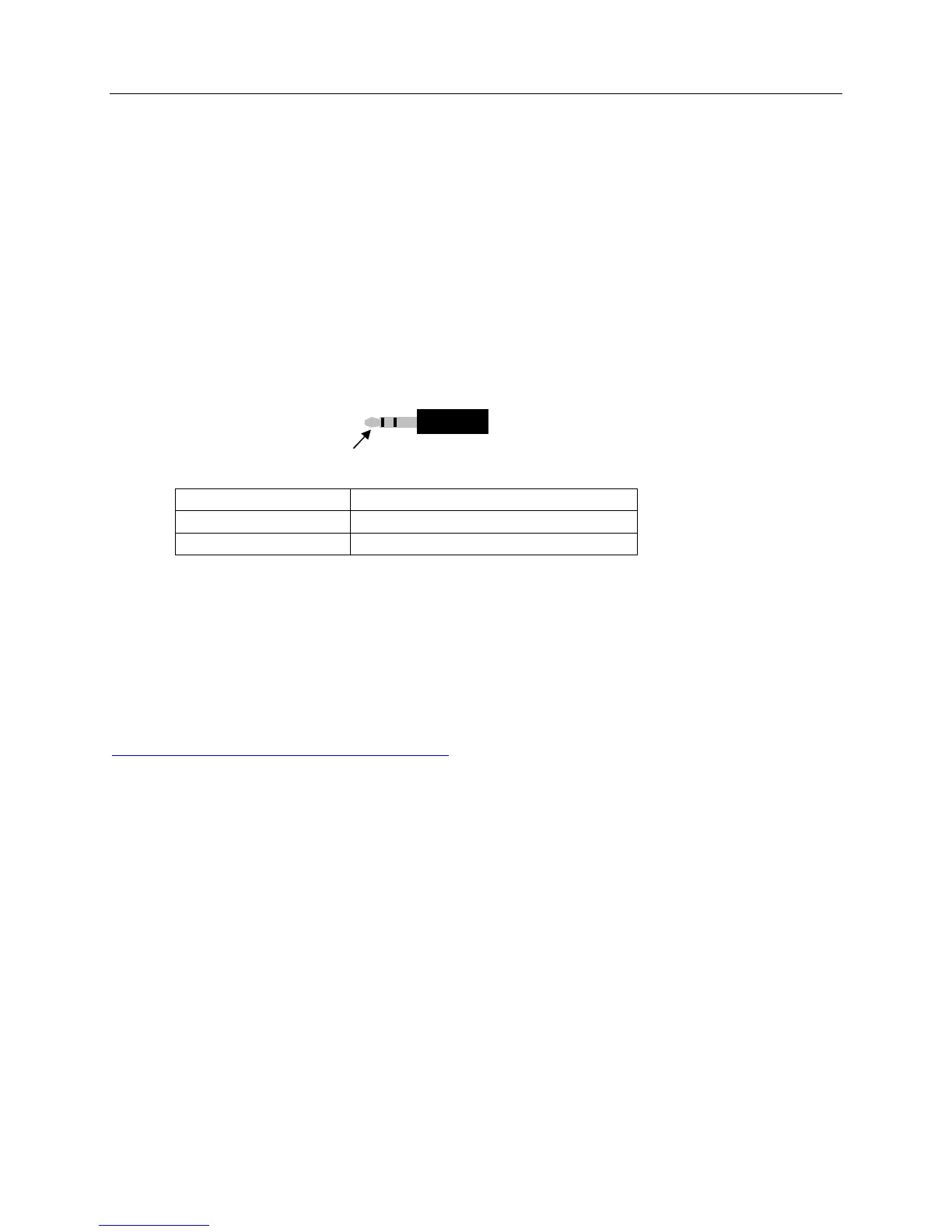
The SW indicator’s serial output connector is a 3.5mm stereo audio jack. Use a 3.5mm
stereo plug to connect to the SW indicator’s serial output. The 3.5mm stereo plugs
have 3 rings (3 connections) on the post.
Outside ring -NA-
Middle ring TXD
Inside ring ground
USB Output
The USB connector is located on the left side of the Indicator and is the suggested
connection used to interface with an external computer.
You can download the driver at the web site listed below.
http://www.ftdichip.com/Drivers/VCP.htm
Choose the operating system that your computer uses and select the driver that
supports “FT232R” and save it to your computer after it downloads. Connect the USB
cable from the HH60 Indicator to your computer and have your computer search the
driver folder for the driver when prompted by your computer.
outside ring


 To Next Page