SW500 Wired Scale Systems, Users
Rev E,October, 2016
Page 28 of 36
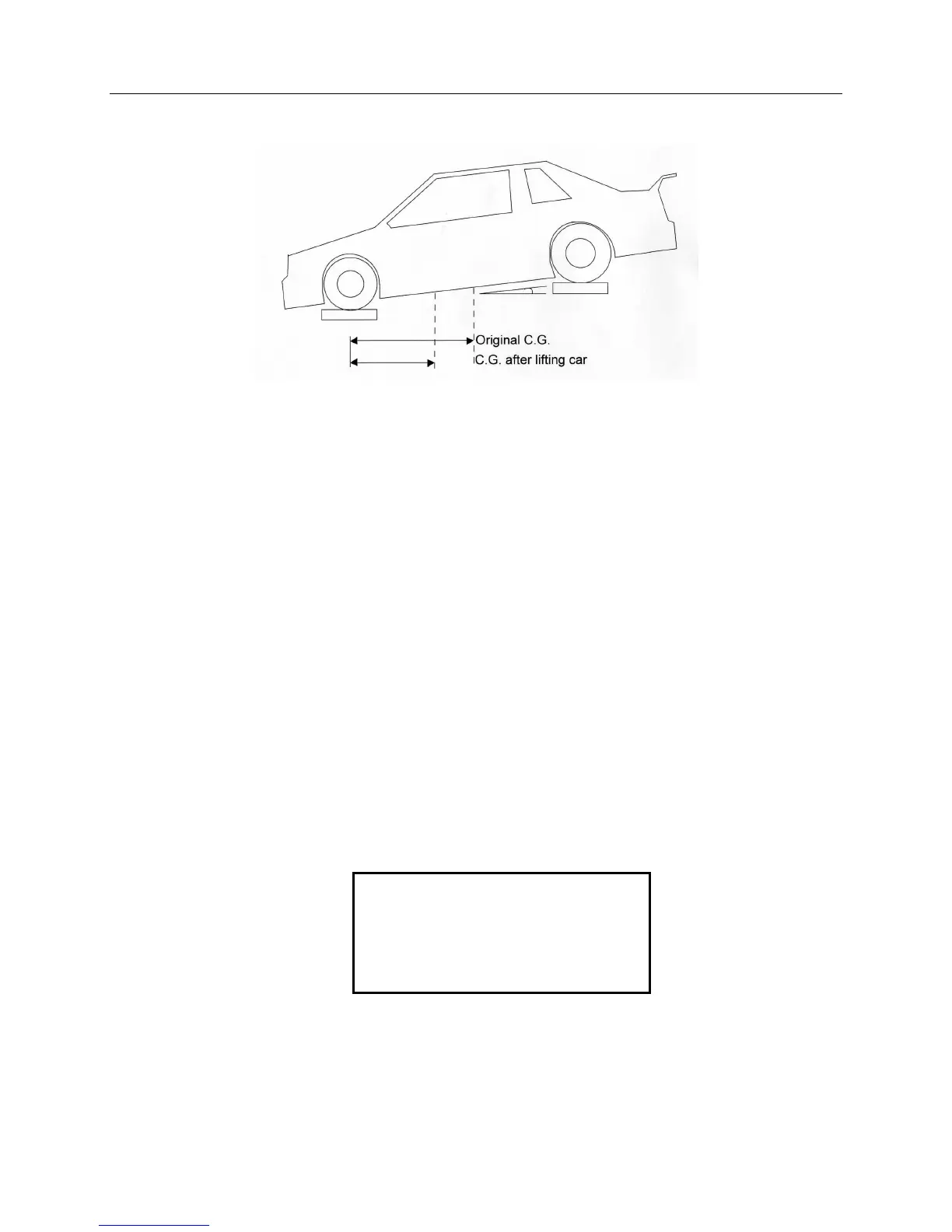
Vertical CG
CG movement has been exaggerated to illustrate point
There is a point referred to as the vertical center of gravity that the car would
balance on if it were turned on it's side. As you can see from the drawing above
if the back of the car is lifted the front to back center of gravity will move forward,
the amount of movement is related to how high up the center of gravity is in the
car. The SW Scale will calculate the vertical center of gravity.
1. Have the car level with the ground
2. Press CG to enter the center of gravity menu.
3. Select #2 to start Vertical CG. Have the car level with the ground.
4. Enter the wheel base (refer to the center of gravity section above).
5. The scale will ask you to “Raise the rear wheels by:”
6. Raise the back of the car and weigh pads. A good 'rule of thumb' is raise the
back one inch for each foot of wheel base.
7. Enter the amount (from bottom of the pad to ground) the back wheels were
raised in tenths (doesn’t matter which unit you use inches, centimeters, etc.;
the result will be in the same units).
8. The scale will ask you to “Enter the wheel center height”. This is the distance
from the center of the wheel hub to the edge. This could also be called the
axle height.
9. The results will be displayed as shown below:
10. At this point, if you press PRINT followed by [1], the vertical center of gravity
screen will print out.
Press the CG key to return to the regular weight screen.
VERTICAL CG: 17.3
ORIGINAL CG: 55.0
CURRENT CG: 54.3
WB: 110.0 H 10.0


 To Next Page