16
NOTE: The display console calculates the sunrise and sunset times based on the longitude,
latitude, and time zone data that you enter. Make sure you have the precise information when
manually setting the time. (We strongly encourage using the PC software.)
In normal operating mode, press the CLOCK SET button to switch between viewing the date
and the year.
CLOCK SET OPTIONS DISPLAY
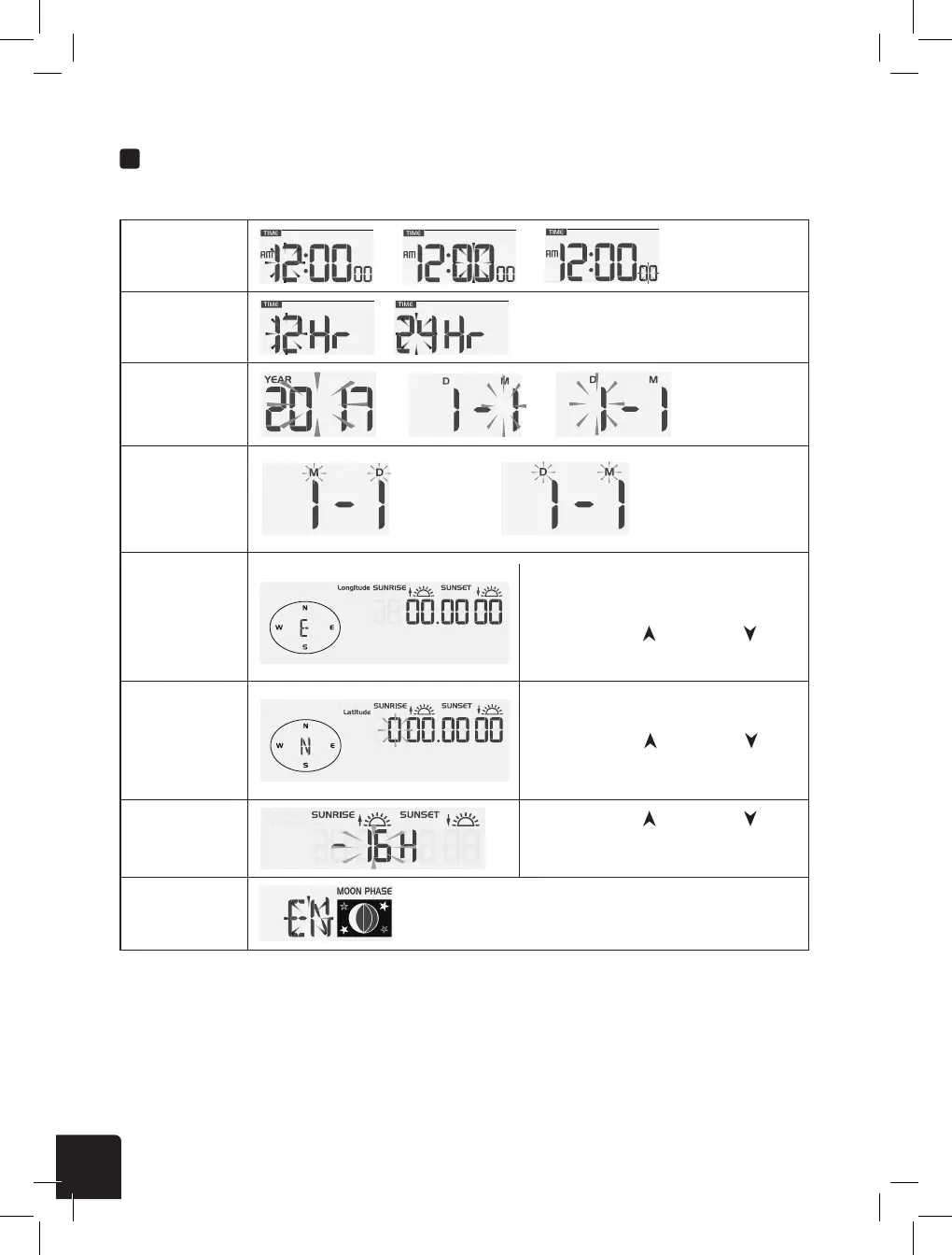
SETTING CLOCK MANUALLY
1. In normal mode, press and hold [ CLOCK SET ] key for 2 seconds to enter clock setting.
2. Press [ ] or [ ] key set hour.
3. Press [ CLOCK SET ] key again to enter the next setting.
4. The setting sequence: Hour → Minute → Second → 12/24 hour format → Year → Month →
Day → M-D/D-M format → Longitude for Sunrise / Sunset → Latitude for Sunrise / Sunset
→ time zone for Sunrise / Sunset → Language
5. Press [ CLOCK SET ] key to save and exit the setting mode, or the unit will automatically
exit the setting mode 60 seconds later without pressing any key.
Hour > Minute >
Second
→ →
12-Hr/24Hr
/
Year > Month >
Day
→ →
Longitude
Latitude
Time Zone
Language
EN > DE > FR > ES > IT > NL > RU > EN
Press the CH button to switch between
setting the longitude direction or digits.
Press the GRAPH/ or HISTORY/
buttons to change the value (i.e. East/West)
Press the CH button to switch between
setting the longitude direction or digits.
Press the GRAPH/ or HISTORY/
buttons to change the value (i.e.
North/South)
Press the GRAPH/ or HISTORY/
buttons to change the time zone (e.g.
-5 corresponds to GMT -5).
M-D/
D-M setting
Month-Day / Day-Month



 To Next Page