17
MOON PHASE
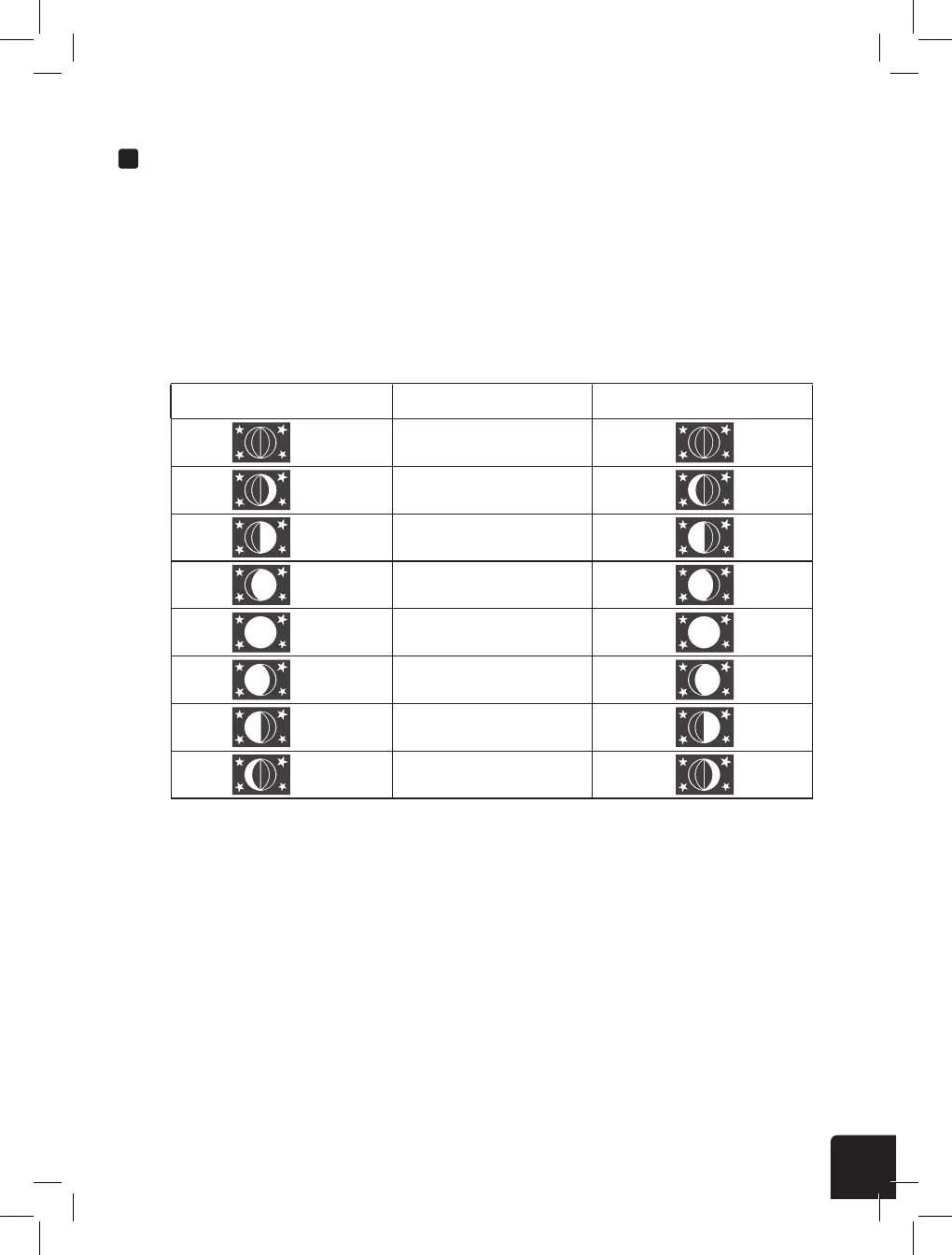
The display console calculates the moon phase according to your time, date, and time zone. The table
below explains the corresponding phases and their icons for both Northern and Southern hemispheres.
Please refer to the section regarding Orienting the Wireless Weather Sensor Due South on page 29
for more information on setting up your Wireless Weather Sensor in the Southern Hemisphere.
OTHER DISPLAY CONSOLE SETTINGS
Northern Hemisphere Icons Southern Hemisphere IconsMoon Phase
New Moon
Waxing Crescent Moon
First Quarter Moon
Waxing Gibbous Moon
Full Moon
Waning Gibbous Moon
Third Quarter Moon
Waning Crescent Moon
NOTE:
- In alarm mode, the “
” icon will display on the LCD.
Alarm o Alarm on Alarm with ice-alert
Temp/Humidity Trend
Arrow Icon
Rising Steady Falling
Too cold Comfortable Too hot
No signal Weak signal Good signal



 To Next Page