31
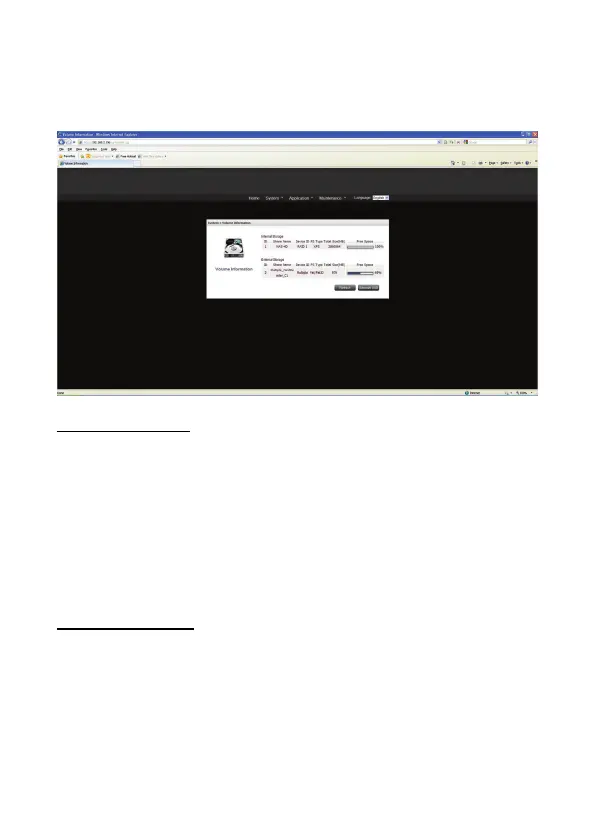
5) Volume Information
User can check Disk information in this page. If any new storage device is attached to NAS,
disk information will change to the latest status after refresh button is used. Remove USB is
to safely remove the external USB storage device.
Internal Storage Device
This page shows the ID, share name, device ID, file system type and total size of the
internal storage device on the NAS.
ID: The storage device ID number given by NAS.
Share Name: The storage device name.
Device ID: The disk ID given by the storage device manufacturer.
File system type: XFS, EXT3...
Total Size: The total size of storage device.
Free Space: The available space of storage device.
External Storage Device
Connect the USB device to the USB port of the NAS, when the device is successfully
detected, the details are shown on this page.
It may take tens of seconds for the NAS server to detect the external USB device
successfully.
Remove: safety remove external storage device.


 To Next Page