33
HDD S.M.A.R.T status
Monitor the hard disk drives (HDD) status by HDD S.M.A.R.T.
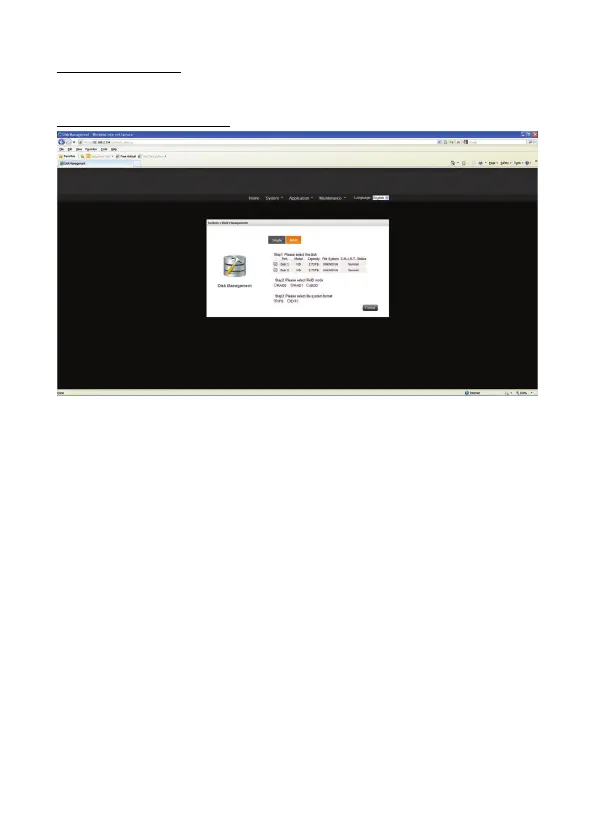
RAID Mode(Only for NS0046A)
When there are two Hard Disks inside the NAS, you could enable this function. You could
select JBOD/RAID 0/RAID 1 different modes. Create the Raid Mode and disk will be
formatted.
Select RAID Mode:
1) RAID 0
RAID 0 combines 2 hard drives into one larger volume. The data is written to the
hard drive without any parity information and no redundancy is offered.
The total storage capacity of a RAID 0 is equal to the sum of the capacity of all
member hard drives.
2) RAID 1
RAID 1 duplicates the data between two hard drives to provide disk mirroring. The
storage capacity of a RAID 1 is equal to the size of the smallest hard drive.
3) JBOD
JBOD is a collection of hard drive that does not offer any RAID protection. The data
are written to the physical disks sequentially. The total storage capacity is equal to
the sum of the capacity of all member hard drives.


 To Next Page