43
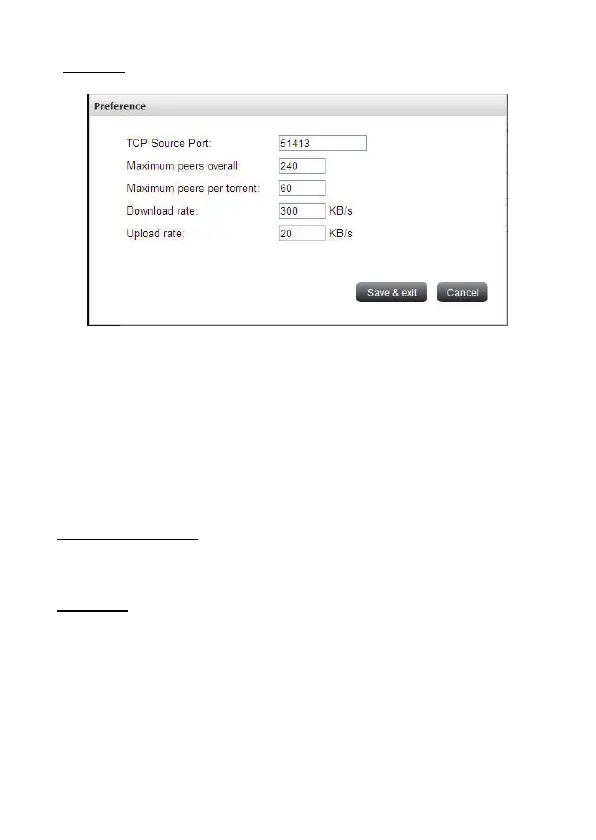
Preference
User can set some BT parameters here to limit the connected peers or bandwidth
Maximum peers overall: The total maximum number of connected peers. Default is
240.
Maximum peers per torrent: The maximum number of connected peers per torrent.
Default is 60.
Download rate: The bandwidth of all BT downloading tasks. Default is 100. 0 is no
limit.
Upload rate: The bandwidth of all BT uploading tasks. Default is 10. 0 is no limit.
Refresh task information
User can use “Refresh” to get the latest status of all BT tasks.
BT Task info
After user trigger the BT task info in operation, the following Job detail will be shown:


 To Next Page