39
3) FTP Server
Users can use FTP to download and upload files between NAS and client PCs across
the Internet.
User Behavior
admin: admin user can manage all the data in the NAS.
user: a normal user can only access his private folder and the public folder.
Web configuration
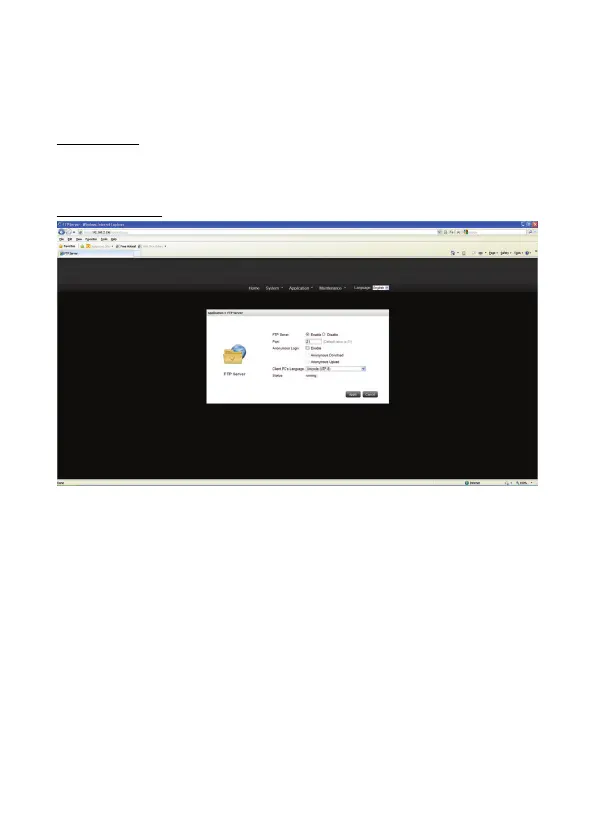
FTP Server: enable or disable the function
Port: FTP server port, default value is 21, input range is 1~65535
Anonymous login
You can enable anonymous login to allow users to access the FTP server of the NAS
anonymously. If this option is disabled, the users must enter an authorized user name
and password to access the server.
Anonymous Download
Let anonymous user to download files from NAS by FTP
Anonymous Upload
Let anonymous user to upload files from NAS by FTP
Client PC Language: Support Unicode, Simplified Chinese, Traditional Chinese,
German, and Japanese Charsets.
Status: display current server status (running/stopped)


 To Next Page