8
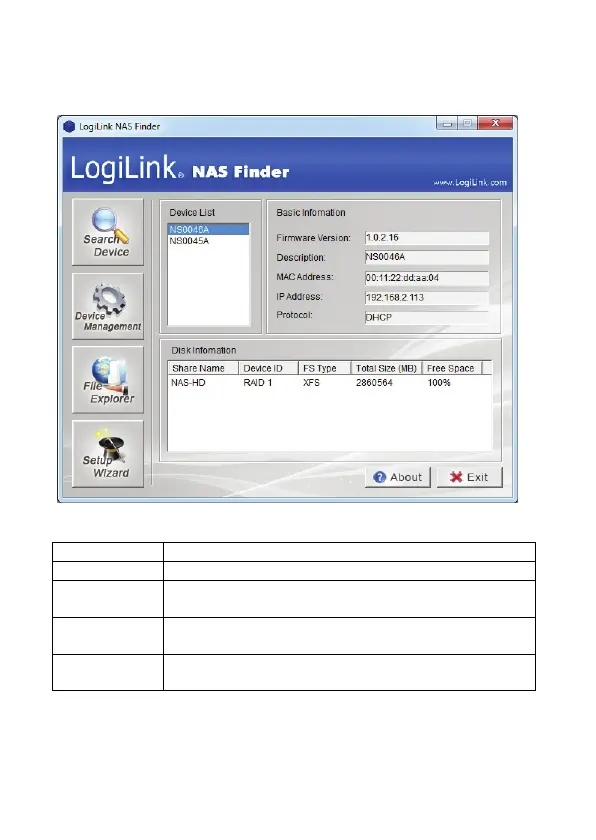
4. After a device is detected, select an NAS device information from your NAS, such as:
firmware version, NAS DescrIptIon, Mac address, IP address, Protocol and Disk
information is displayed on the main page.
Funation button DescrIptIon
Seach Device Click button, and then system will scan connected Logilink NAS.
Device
Management
Click to access the login screen of the selected device. The web
interface of the device displays through your default browser.
File Explorer Mount the NAS SAMBA share, you can access the shortcut from
your computer or Windows Explorer.
Setup Wizard Your default web browser opens to display the system Setup Wizard
screen


 To Next Page