Configuring the UTRED-16 for logging UTRED-16 User Guide 11
This is done using LogTag
®
Analyzer software, which can also be used for downloading and
analyzing data.
Preparing the logger
l Start the LogTag
®
Analyzer software.
l Remove the protective cap and insert the UTRED-16 into a USB port.
You will receive a message that a new USB device has been found, and a generic driver
will be installed
3
.
Once the driver is installed and the UTRED-16 is ready, it can receive configuration
data. Click LogTag - Configure; LogTag
®
Analyzer will scan all USB ports and
display the configuration options for connected UTRED-16‘s. Although you can
configure many devices at the same time
4
, it is practical to limit the number of
devices to about 10, using a powered USB hub. It is not possible to configure different
models at the same time.
l Click Configure from the LogTag menu; LogTag
®
Analyzer will display the
configuration options for connected loggers.
l Remove the protective cap from the logger's USB connector, plug it into a USB
socket on your computer and wait for the drivers to be installed
5
.
Standard Configuration Options
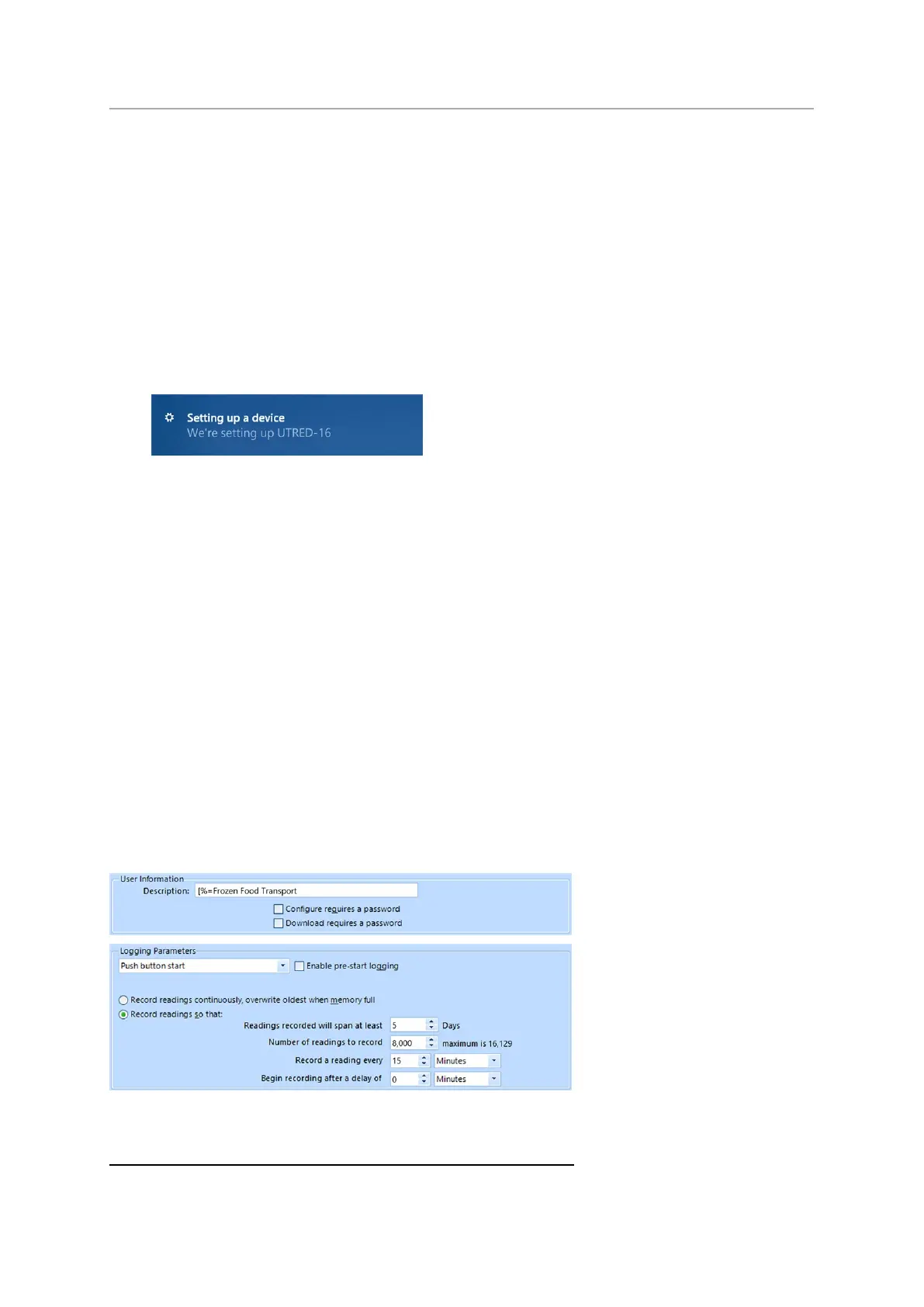
The standard configuration options include settings such as User ID, start method, pre-
start recording, logging interval and duration, start delay, and password.
3 Depending on the factory configuration additional drivers may be installed at this time.
4 You can configure more than one UTRED-16 at the same time, however it is practical to limit the number of units to about 6,
using a powered USB hub.
5 You can configure more than one UTRED-16 at the same time, however it is practical to limit the number of units to about 6,
using a powered USB hub.


 To Next Page