Operating the Logger UTRED-16 User Guide 20
Adding the Probe
Before the UTRED-16 can record temperature data you will
need to connect an external probe.
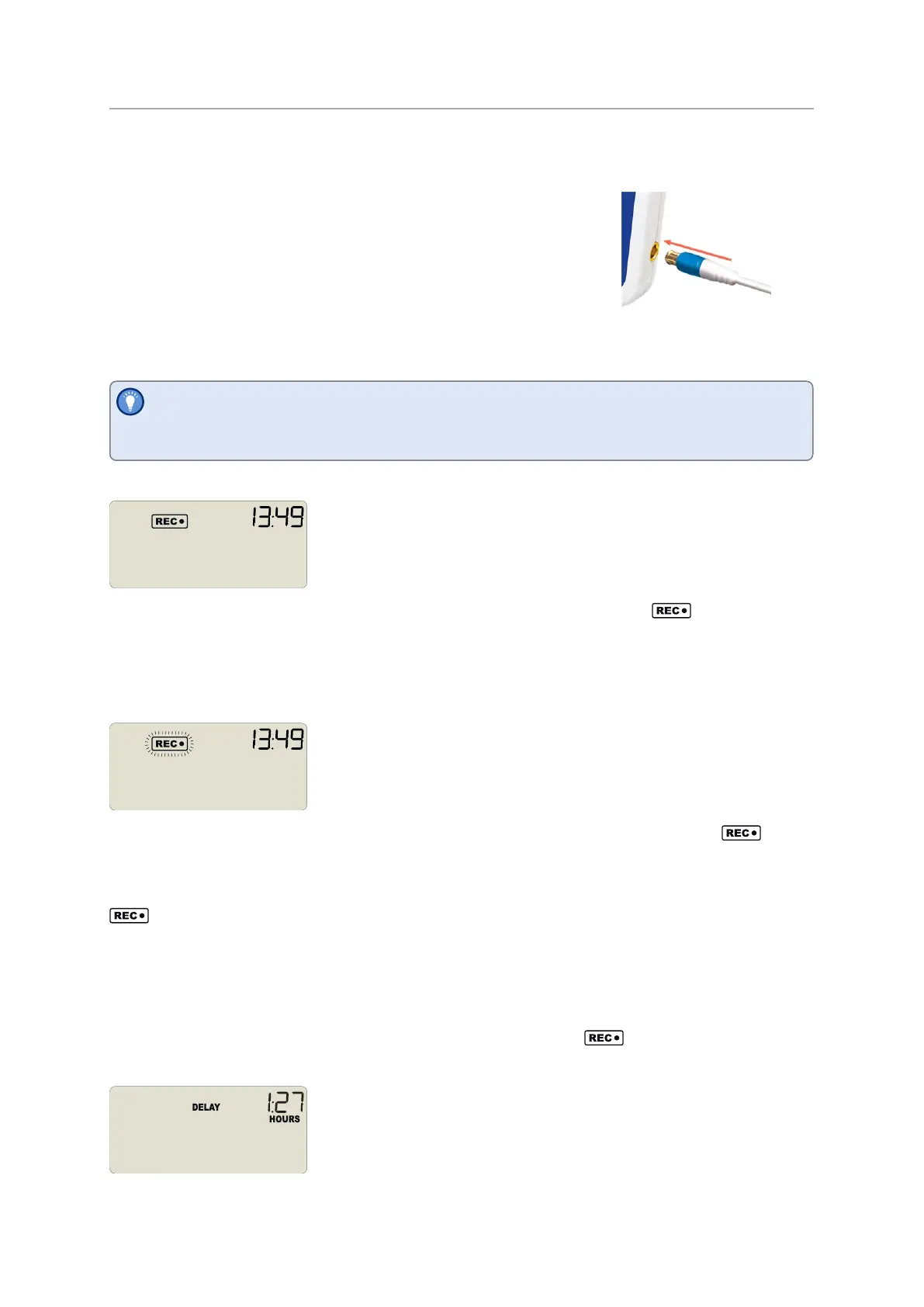
The UTRED-16 accepts any ST100 probe. Plug the sensor
into the socket located on the side of the device, as shown.
Starting the Logger
Before you carry out the following start procedure, please ensure you have plugged
the external probe firmly into the socket on the side of the logger.
Push button start, quickstart enabled
Press and hold the START/Mark button until READY disappears and the
symbolS T ART I NG is shown. The UTRED-16 now records temperature data. This start
option works very similar to other LogTag
®
LED products.
Push button start, quickstart disabled
Press and hold the START/Mark button. READY immediately disappears, and the
symbol blinks for 4 seconds. The symbol then shows permanently for 2 seconds. If you
release the button during this time, the logger starts taking temperature readings. The
symbol remains shown. If the button is released earlier than 4 seconds or later than
6 seconds, the display shows READY again, and the logger does not start.
Push Button Start with Start Delay
If the logger was configured for push button start with a start delay (regardless of
quickstart settings), the word DELAY is shown instead ofthe symbol, once you have
started the logger.
The delay time is shown in hours and minutes, if it is less than 24:00 hours, and the word


 To Next Page