Basic System Setup4
4.4 STEP 4: Connect monitor
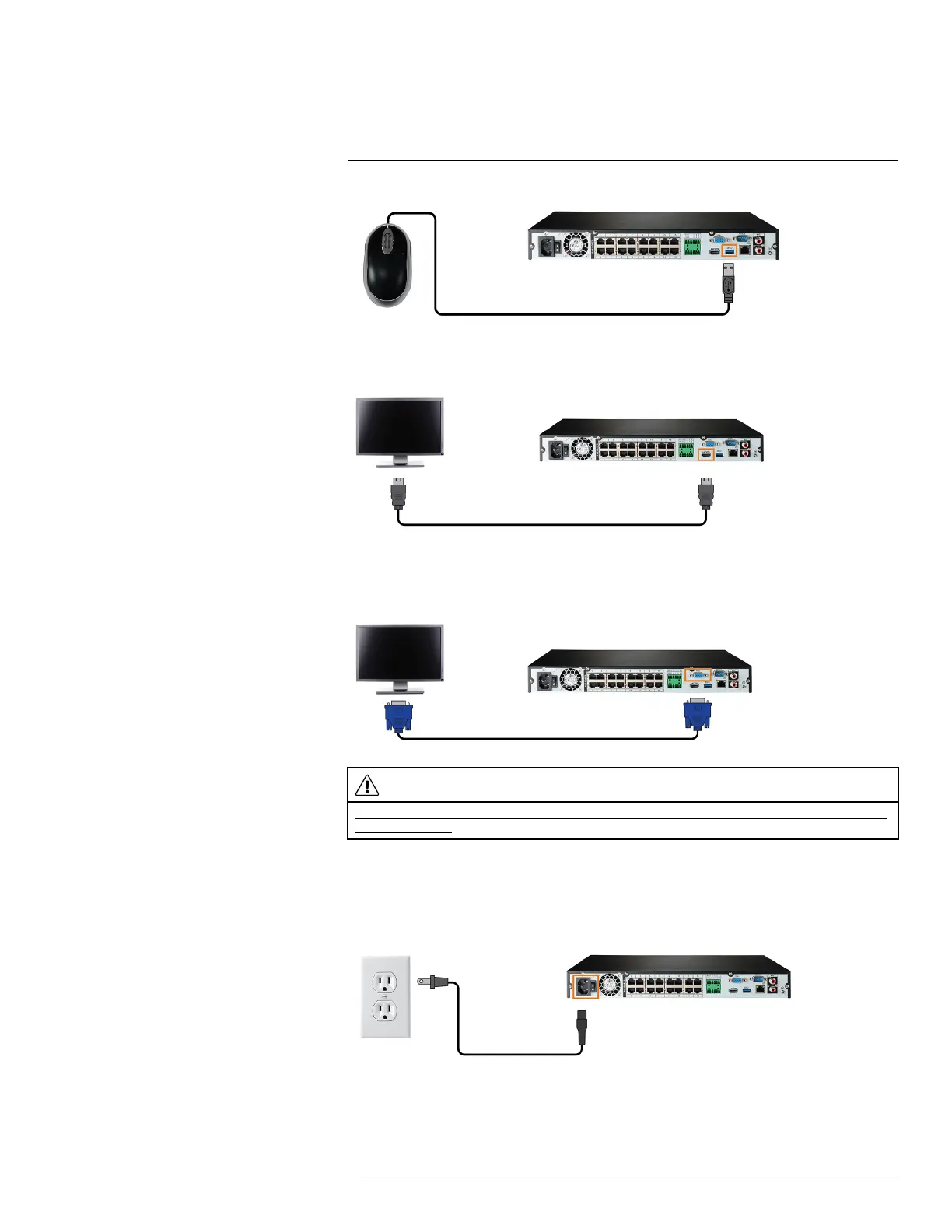
Connect the recorder to a monitor using the included HDMI cable (supports up to 4K resolution).
OR
Connect the recorder to a monitor using a VGA cable (not included - supports up to 1080p
resolution).
CAUTION
If you need to switch monitors, make sure you set the recorder to an output resolution supported by the new moni-
tor before switching. See 16.4.20 Setting the Monitor Resolution (Display), page 97 for details.
4.5 STEP 5: Connect power
Use the included power adapter to connect the recorder to a nearby outlet.
Turn on the power switch on the back of the unit to power up the recorder.
#LX400113; r. 2.0/56306/56316; en-US 8


 To Next Page